

Core Concepts
Understanding Ongoing Monitoring is easier when divided into the following 3 units:Worklist
Monitor Record
Matches
AML Ongoing Monitoring
Ongoing Monitoring Workflow
1
Worklist Design
Goal: Define monitoring scope and thresholds to determine “what changes trigger alerts.”
- Thresholds specify matching score criteria (e.g., Open only if ≥ 90)
- Set operational criteria such as exact date of birth matching
- Set processing priority in order: Sanctions > PEP > Reputation
- Agree on responsible roles and SLA (e.g., first judgment within 1 business day after Open creation)
2
Confirm Monitoring Registration Targets
Goal: Confirm monitoring targets to determine “watchlist to compare regularly.”ARGOS allows monitoring target registration in 3 ways:
- Automatic registration after eKYC (Settings - Anti-Money Laundering - Ongoing Monitoring ON)
- Additional registration based on Submission ID
- Separate registration based on identity information
3
Periodic Screening & Open Matching
Goal: Perform matching on registered monitoring targets to determine “Match information requiring administrator review.”ARGOS re-screens all targets according to the set cycle, and when data changes are detected, creates alerts as Open matches.
4
Match Review (Judgment·Comment)
Goal: Determine “final match result” through administrator review of matches (OPEN).Open matches quickly verify facts and then judge as True Positive or False Positive.
5
Repeated Operations (Reopening/Discard Reflection)
Goal: Determine “re-execution process” based on administrator review results.ARGOS re-evaluates past judgments based on profile updates or score changes.
Worklist Management
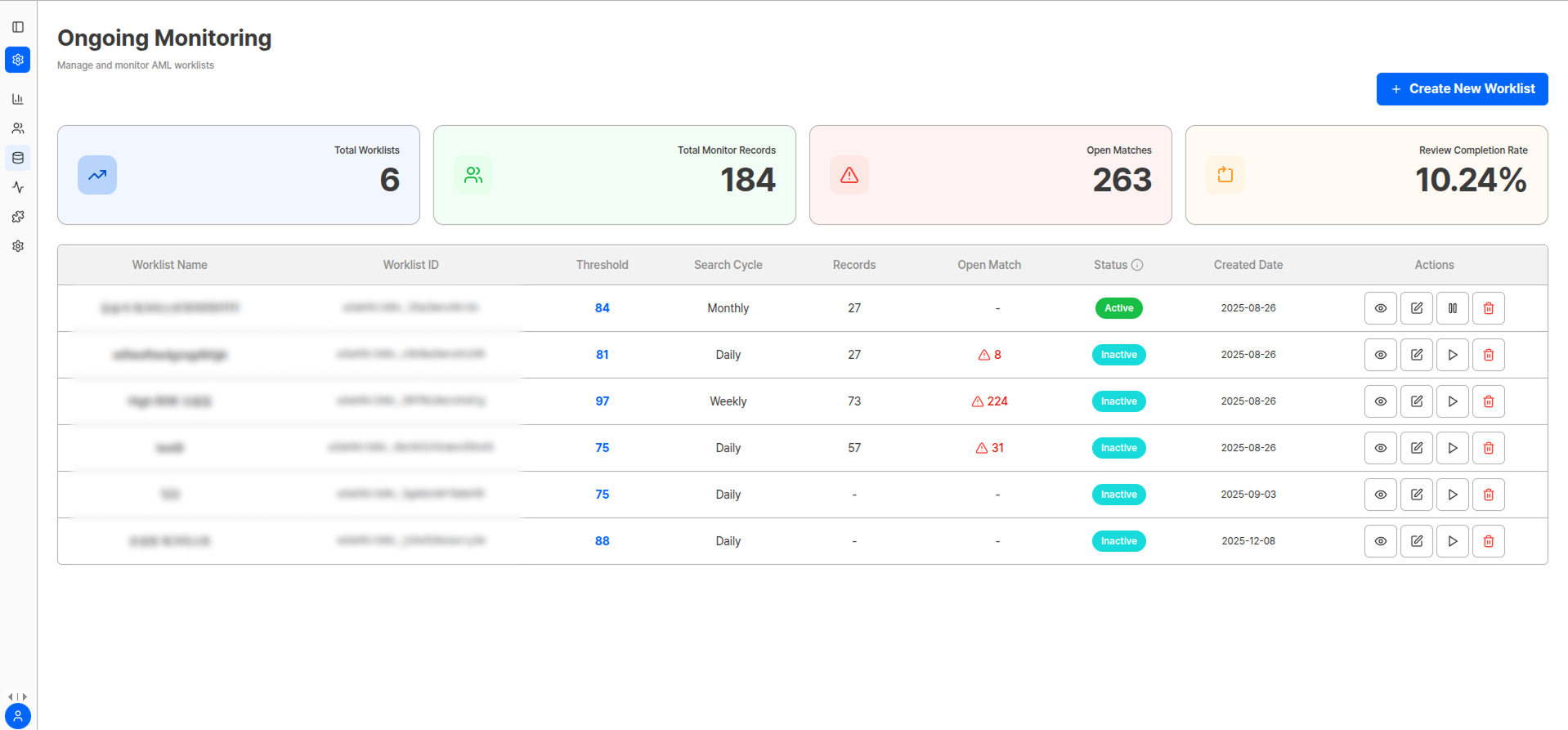
In Ongoing Monitoring, you can create multiple Worklists and operate different policies simultaneously.Worklist Management Screen
Key Indicators
Worklist Creation Settings
1) Worklist Name
1) Worklist Name
Name to identify Monitor Records that will flow into the Worklist.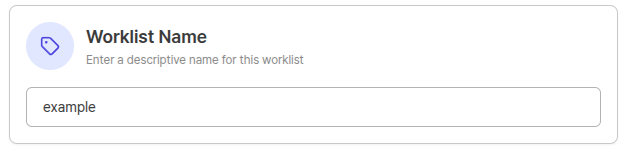
- KYC-KR-VIP-P-High-D2-v3
- Merchant-US-Standard-Low-D1-v1
2) Threshold Setting
2) Threshold Setting
Defines the match score (75–100) at which the system creates Open alerts.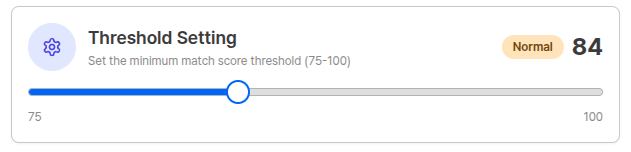
- Recommended starting value: Start with ≥ 93, then fine-tune by 1–2 points while observing false positive patterns
- Operation tip: Adjust so that daily Open volume is within 80% of team processing capacity, considering review personnel and SLA
3) Birthdate Matching
3) Birthdate Matching
Uses DOB (date of birth) as a secondary key to reduce false positives from name similarity.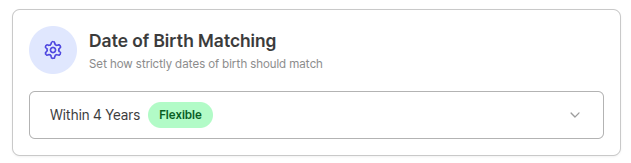
4) Search Cycle
4) Search Cycle
Determines the re-screening execution cycle.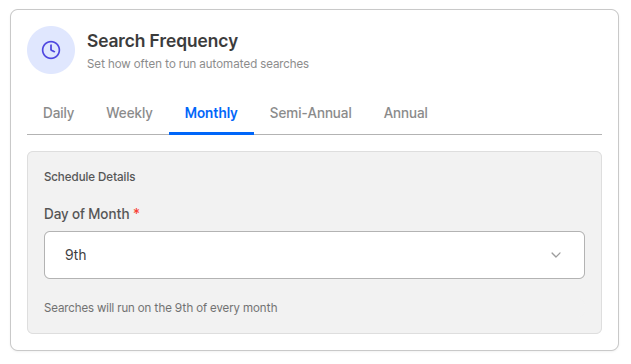
All screening tasks are executed at 19:00 GMT (04:00 AM Korea Time).
Monitor Record Management
The Monitoring Records screen is where you query, add, and manage targets (Records) registered in the worklist.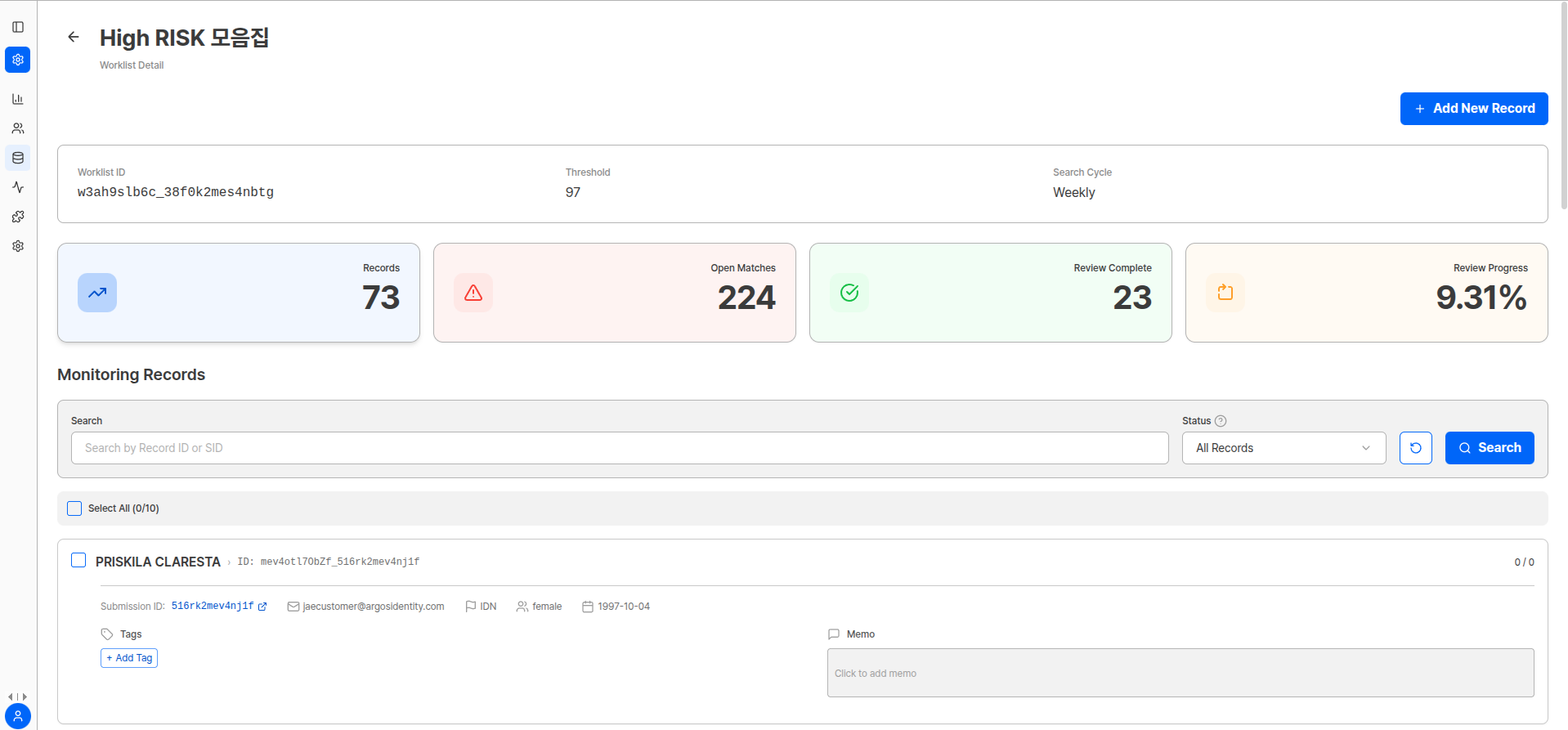
Record Status
Monitor Record Registration Methods
- Generate new
- Use submissionid
When there is no existing eKYC submission, you can incorporate externally collected targets into monitoring.A new submission ID is created and the entered identity information is registered as an Approved eKYC.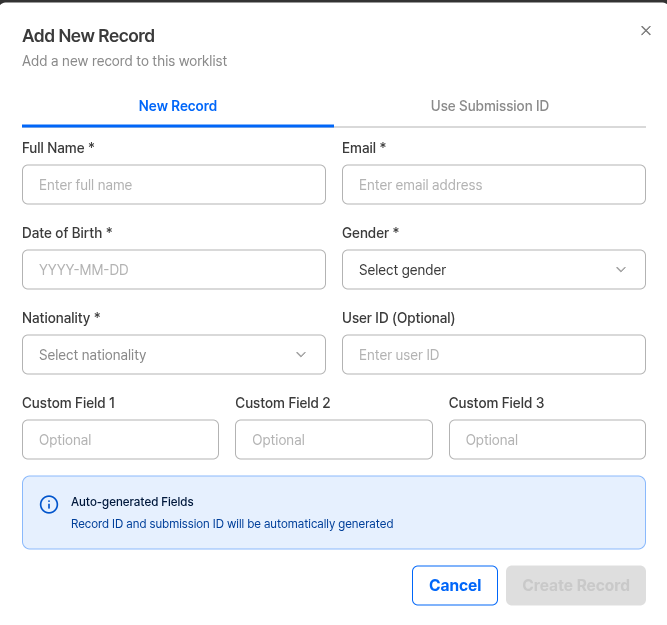
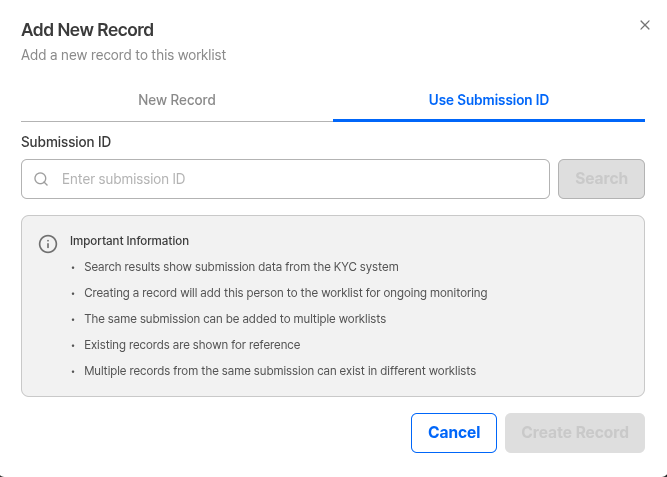
Match List Management
Match List is a screen that shows all match results that occur when a specific user matches lists such as sanctions, PEP, regulatory enforcement, reputation risk, POI, etc. in ARGOS Ongoing Monitoring.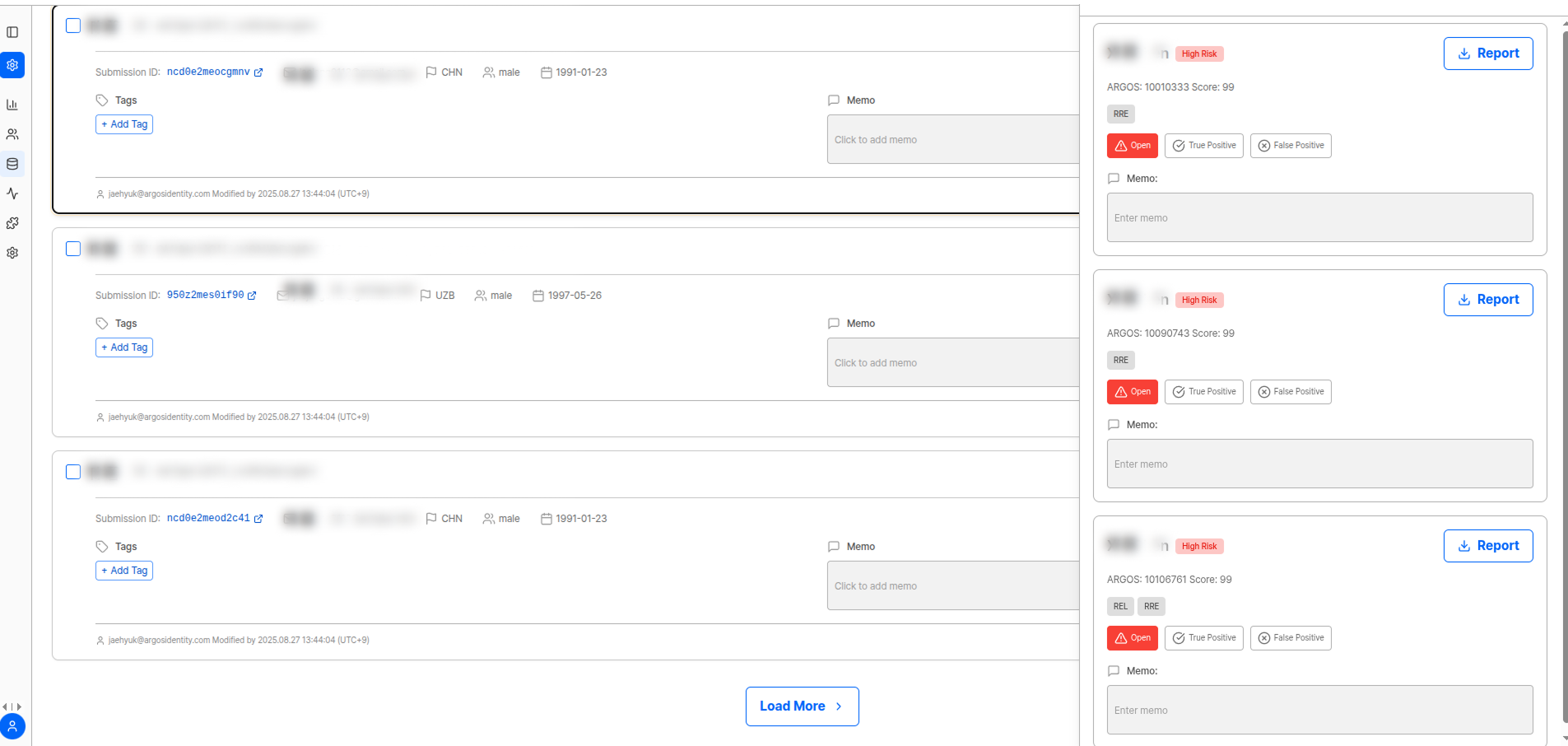
Matches indicate “similarity possibility,” so compliance officer review is mandatory.
Match List Components
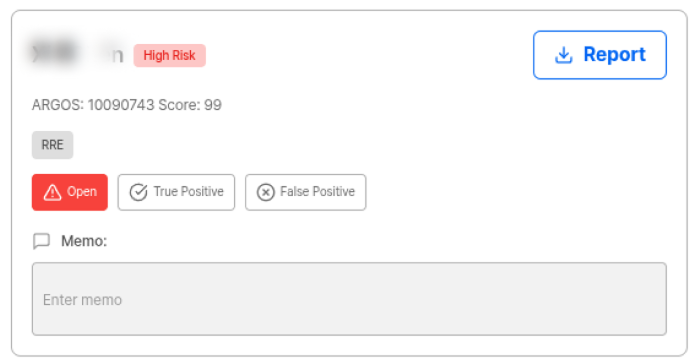
Match Status
🟡 Open
🟡 Open
Indicates that the monitoring target showed similarity above a certain level when compared with the list, resulting in a review pending status.Open status means review is needed, so it is important to start review immediately.
✅ True Positive (TP)
✅ True Positive (TP)
Review confirmed that the target is exactly the matched person/institution.
- Execute immediate actions such as offboarding, transaction restrictions, enhanced screening
- Must record initials, date, reason, and evidence links in memo
❌ False Positive (FP)
❌ False Positive (FP)
Review confirmed that the match is a different person/institution.
- Score may be high but decisively different target
- Recording mismatch basis in memo is useful for future audit response and system Threshold adjustment
🗑️ Discarded
🗑️ Discarded
Indicates that the match is no longer a meaningful review target.
- List was updated and item became unnecessary, or
- Policy criteria changed and item was excluded from match conditions
- Remove unnecessary items from queue to maintain efficient workflow
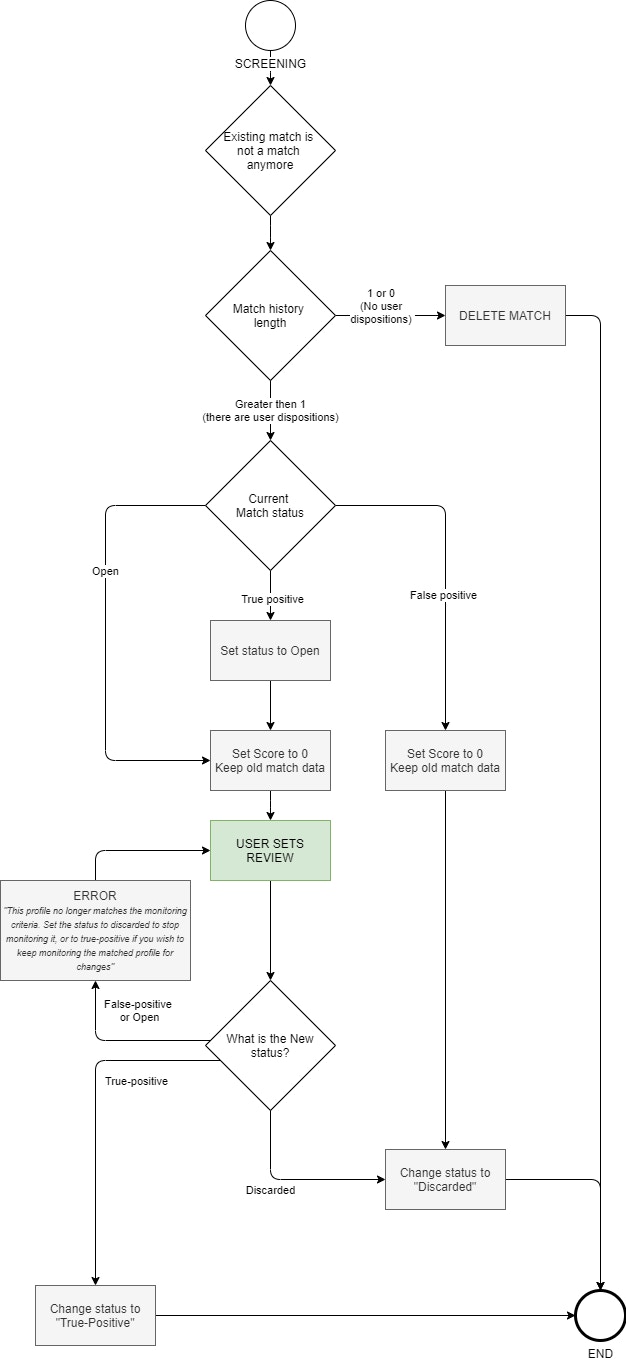
Match Reopening
Refers to already judged matches returning to “review (Open)” status again due to data updates or risk indicator changes.No Longer a Match (Discard Logic)
When re-screening results show that a specific user no longer meets match conditions, it can be processed as 0.- In this case, the match should be organized as Discarded status.
- However, matches with no judgment history may be automatically deleted by the system.
Flowchart
Flowchart
Frequently Asked Questions
How do I prevent duplicate registration when operating multiple Worklists?
How do I prevent duplicate registration when operating multiple Worklists?
Since Worklists operate independently, the same user can enter multiple Worklists. To prevent this, establish a 1:1 mapping rule based on USER ID, and if purposes overlap, it’s good to merge Worklists or adjust filters.
If I lower the Threshold, alerts will be too many. What should I do when personnel is insufficient?
If I lower the Threshold, alerts will be too many. What should I do when personnel is insufficient?
It’s effective to raise the Threshold to reduce alert numbers, or separate low-risk groups into separate Worklists and check at low frequency only. If alerts accumulate to a level where SLA cannot be maintained, queue management reflecting priority (Sanctions > PEP > Reputation) is needed.
Is a match score of 100 always True Positive?
Is a match score of 100 always True Positive?
No. Scores only show similarity possibility, and final judgment requires operator review. For example, same names with the same nationality may be False Positive.
Can a match reopen after being judged as False Positive?
Can a match reopen after being judged as False Positive?
Yes. Past False Positives can also reopen (Open) when match scores rise again or data is updated. In this case, review again.
Do I have to write memos?
Do I have to write memos?
Yes. Memo writing is recommended for all judgments. This is an essential procedure for internal audit·regulatory audit response.