

Session Journey — tracking the progress of a submission
New Feature The Session Journey feature has been added to the dashboard. It shows every event in chronological order, grouped by a single submission, from the moment a user enters the liveform to the final outcome (approval, rejection, or hold). Each event is collected from both the frontend (FE — actions observed on the user’s screen) and the backend (BE — verifications and decisions executed on the server). This lets clients trace back, without any code analysis, “why this user got stuck at this step” and “what the reason for the rejection or hold was.”List view and Detail view
- List view — review sessions at a glance by creation date, Session ID, email, User ID, Submission ID, last event, and status, and search and filter by status, date range, or text.
- Detail view — provides a top summary card (including the most recent error code) and an event timeline. The timeline can be filtered by source with
FE/BEchips, and you can expand each event’s timestamp, name, and metadata (key-value).
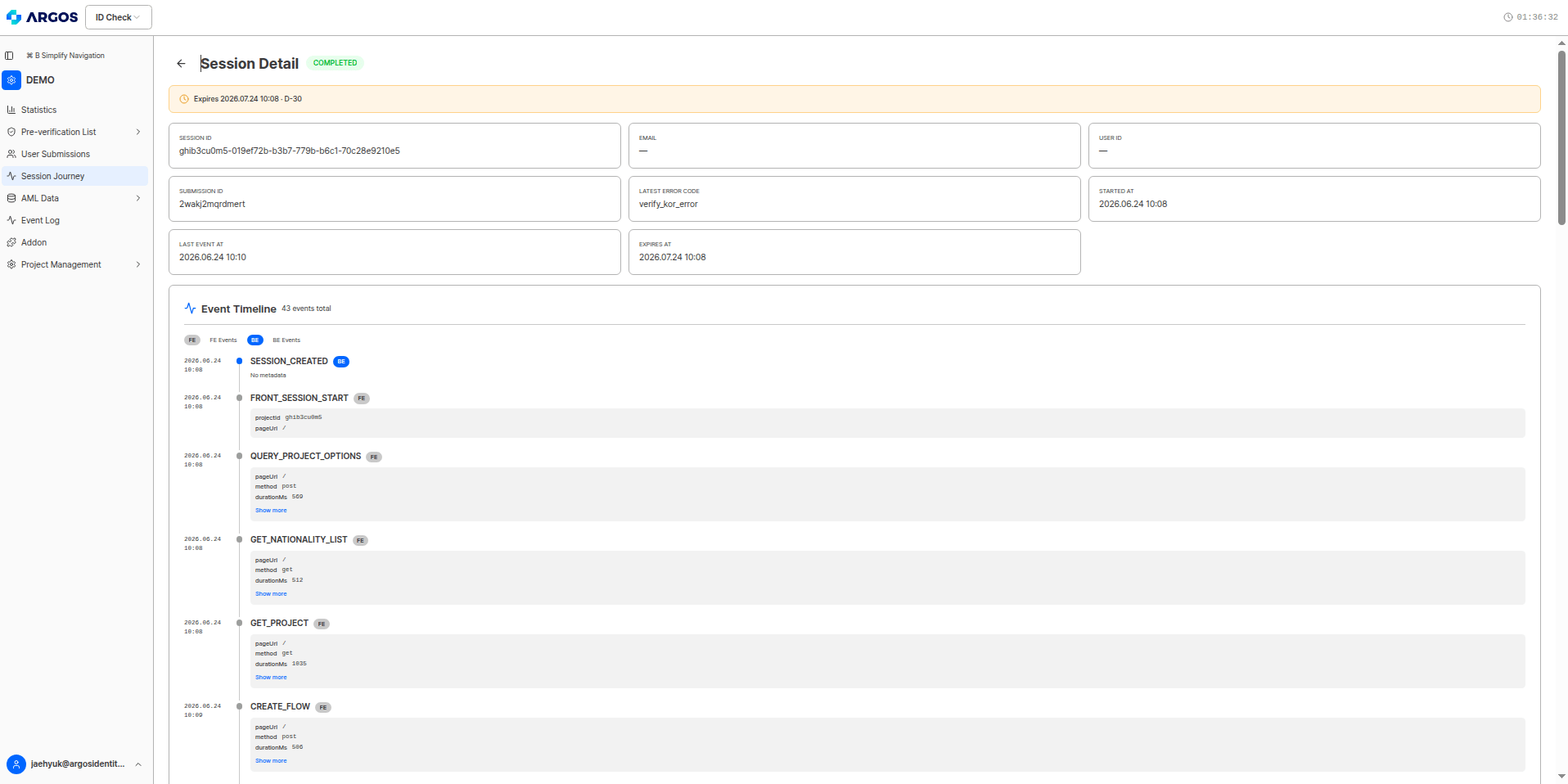
Session detail — status chips, expiration banner, summary card, and event timeline
Session status
The Status column in the list shows the overall progress of a session as a color chip. TheDROPPED status, which indicates drop-off, has been added in this release.
Session status is different from the final KYC decision (approval, rejection, or hold).
COMPLETED only means “the journey was completed to the end,” not “it was approved.” Check the final outcome with the APPROVED, REJECTED, or PENDING events.Session Journey events are listed in chronological order, but in reality multiple verifications run concurrently. The display order is not necessarily a causal relationship, so interpret each event based on its result value and user impact. For more details, see the Session Journey overview, Dashboard guide, and Event reference.
Setting the Session Journey data retention period
New Feature A Session Journey data retention period option has been added to the System Operations page in project settings. You choose how long to keep session data; the retention period is calculated from the session creation date, and once the period passes, that session data is deleted automatically.
Session Journey data retention period setting (default 30 days)
ARGOS continues to improve its identity verification service for stronger security and a better user experience. Thank you for using ARGOS Identity. The ARGOS Identity team