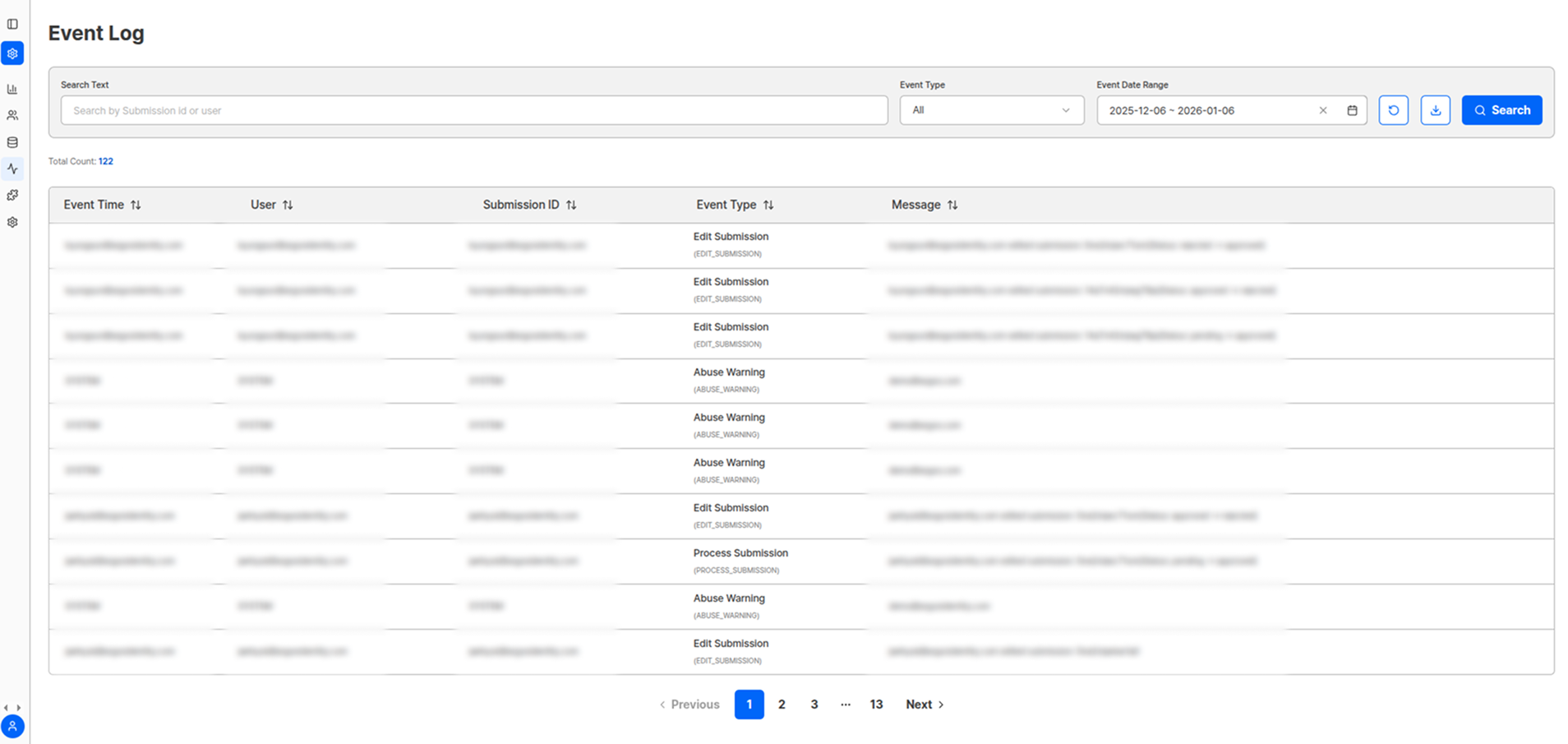
You can view all event messages that occurred before a user’s submission reached its final status. Enter a specific person’s name or specific submission ID you want to query, then specify the event type and event date range to check what event logs were recorded for each individual submission. You can also check logs of administrator account additions/deletions for the project and logs of deleted submissions.
Event Log Query Screen

Event Log Screen

Search and Filter Options

OptionDescription
Specific Person NameTrack event logs for individual users
Submission IDView complete event history for a specific submission
Event TypeFilter by desired event type
Date RangeQuery only events that occurred within a specific period
Detailed content can be confirmed through messages for each type.

Trackable Event Types

Event CategoryContentsUse
Submission ProcessSubmission start, step-by-step progress, completion/interruptionUser behavior pattern analysis
Verification ResultsApproval, rejection, pending status changesDecision process tracking
Administrator ActivityAccount additions/deletions, permission changesSecurity and access management
Data ManagementSubmission deletion, information modificationData integrity assurance
System EventsErrors, warnings, system notificationsSystem monitoring

Event Log Use Cases

Troubleshooting

Analyze submission failure causes and derive solutions.

Security Audit

Review administrator activity and data access history.

User Support

Accurately understand the situation when handling user inquiries.

Process Improvement

Improve UX through event pattern analysis.
Event logs are important evidence that can be used to meet audit requirements for regulatory compliance.

Administrator Permission Logs

All administrator permission-related activities within the project are recorded:
  • New administrator account additions
  • Existing administrator account deletions
  • Permission level changes
  • Access permission modifications

Submission Deletion Logs

Records of deleted submissions are maintained for data protection and tracking:
Record ItemDescription
Deletion Executor InformationWho executed the deletion
Deletion Time and DateWhen it was deleted
Deletion ReasonReason for deletion (optional)
Basic Information of Deleted SubmissionWhich submission was deleted
Data SecurityEvent logs are important audit materials, so ensure only administrators with appropriate permissions can access them.

Log Analysis Tips

1

Regular Review

Regularly review abnormal patterns or error messages.
2

Drop-off Analysis

Identify and improve stages where user drop-off is high.
3

Security Audit

Conduct security audits through administrator activity logs.
4

System Optimization

Optimize the system through time-based activity pattern analysis.
5

Preventive Measures

Identify recurring error patterns and establish preventive measures.