How to ActivateActivate the ‘Proxy & VPN Detection’ option in the Project Management > Policy and Authentication > Authentication Enhancement and Forgery Prevention menu.
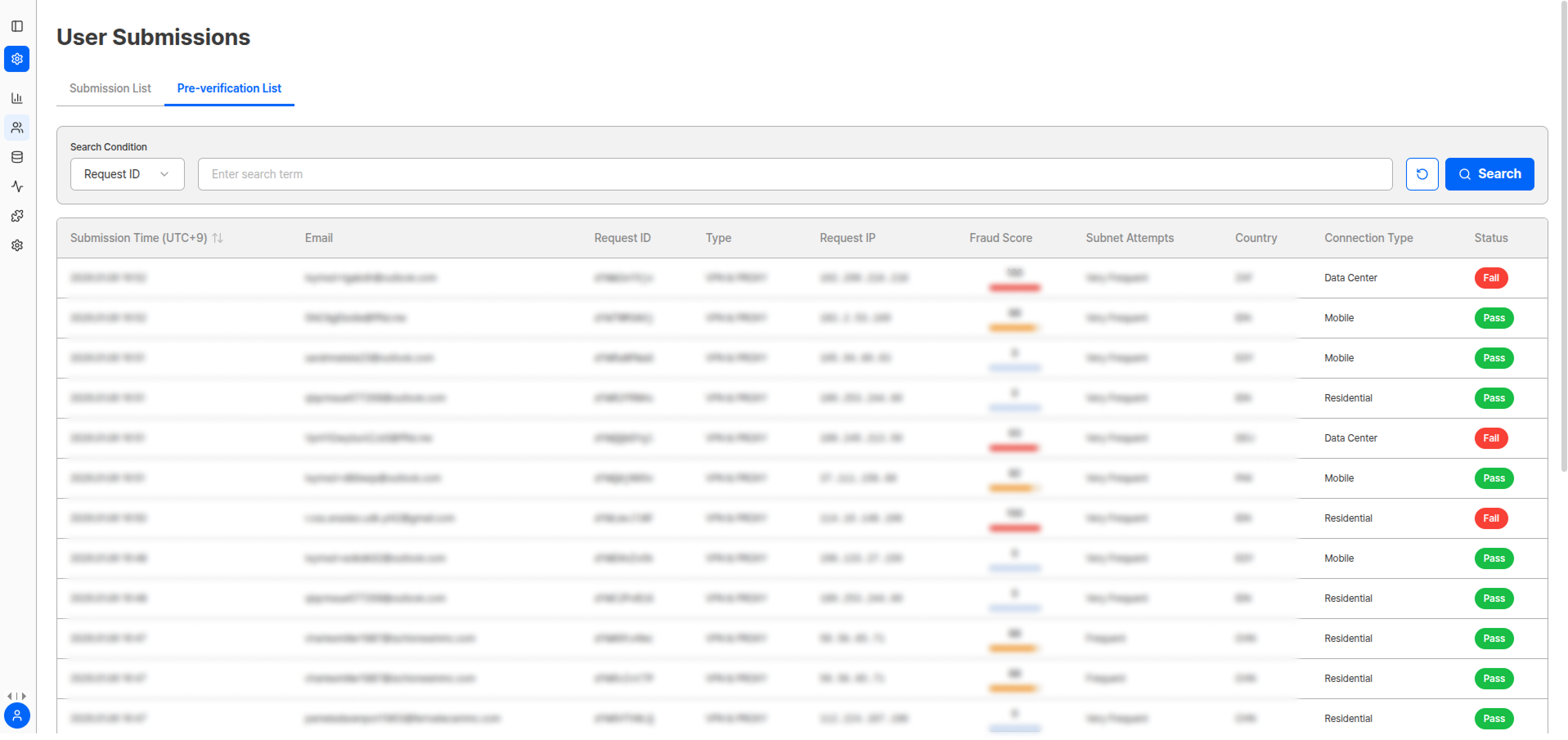
Viewable Information
| Item | Description |
|---|---|
| Submission Time | Time of submission attempt |
| Email Address | Submitter’s email |
| Request ID | Unique request identifier |
| Detection Type | Proxy, VPN, TOR, etc. |
| Request IP | IP of submission attempt |
| Risk Score | IP-based risk score |
| Service Attempt | Whether service access was attempted |
| Country | IP-based country information |
| Connection Type | Connection method |
| Final Status | Block/Allow result |
The VPN & Proxy page is read-only and cannot be modified, unlike the detail page of the submission list.
Benefits of Proxy & VPN Detection
Enhanced Security
Preemptively block dangerous IP ranges
Integrity Protection
Detect forgery/alteration attempts early to protect service
Abuse Prevention
Prevent commercial abuse
Access Restriction
Implement region-based access restriction policies
Response Methods by Detection Type
| Detection Type | Risk Level | Recommended Response |
|---|---|---|
| Proxy | Medium | Apply additional verification procedures |
| VPN | Medium | Apply additional verification procedures |
| Commercial VPN | High | Immediate block or enhanced verification |
| Hosting Provider | High | Automatic rejection processing |
Pre-verification Detail View
Click the Status button of each pre-verification item to view detailed information related to Proxy & VPN detection.
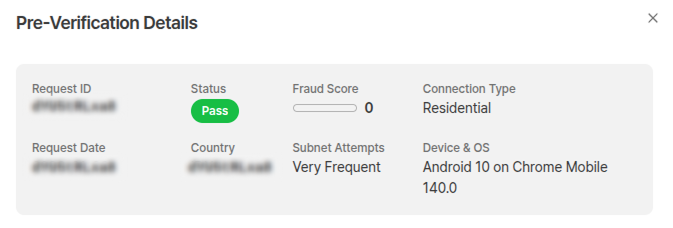
Pre-verification Information
| Field | Description |
|---|---|
| Request ID | Unique request value generated during identity verification attempt |
| Status | Pass/fail based on IP and related information |
| Risk Score | Score quantifying IP and related information |
| Connection Type | Residential/Mobile/Data Center |
| Request Date | Date of submission attempt |
| Country | IP-based country information |
| Subnet Attempt | Subnet submission attempt frequency (first occurrence/rare/very frequent) |
| Device and OS | Submission upload environment information |
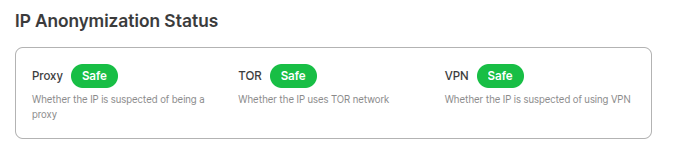
IP Anonymization Status

| Item | Description |
|---|---|
| Proxy | Whether the IP is suspected to be a proxy |
| TOR | Whether the IP uses TOR network |
| VPN | Whether the IP is suspected to be a VPN |
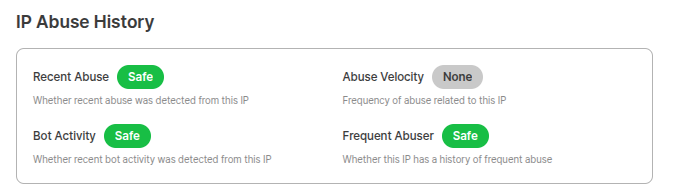
IP Abuse History

| Item | Description |
|---|---|
| Recent Abuse | Whether there is recent abuse history from the IP |
| Abuse Rate | Frequency of abuse related to the IP |
| Bot Activity | Whether there is recent bot activity from the IP |
| Frequent Abuse | Whether there is frequent abuse history for the IP |
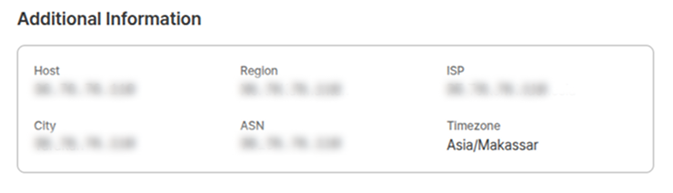
Additional Information

| Item | Description |
|---|---|
| Host | Host information |
| Internet Service Provider | ISP information |
| Autonomous System Number (ASN) | Unique autonomous system number |
| Region | IP-based region information |
| City/County/District | IP-based detailed region information |
| Time Zone | IP-based time zone information |
Risk Score Interpretation Guide
| Score Range | Risk Level | Recommended Action |
|---|---|---|
| 0-30 | Low | Normal processing |
| 31-60 | Medium | Additional monitoring |
| 61-80 | High | Enhanced verification procedures |
| 81-100 | Very High | Immediate block recommended |
Related Documentation
Device Verification
View device verification results.
Authentication Enhancement and Forgery Prevention
Learn how to configure Proxy & VPN detection settings.
User Submissions
Manage submission list and view detailed information.
Statistics
View overall service usage status.