

Mongolian & Turkish language support
Feature Update Mongolian (mn) and Turkish (tr) have been added as supported languages for the KYC liveform. You can display the liveform in these languages via the language parameter in the liveform URL or the end user’s environment.
Passive liveness capture UI improvement
UX Improvement The passive liveness capture screen now displays a guide message after 2 seconds to help users complete the capture. The guide message UI supports your Custom Theme colors.Image rotation in the liveform
New Feature Users can rotate uploaded images 90° clockwise before submission in the liveform, so misoriented ID images can be corrected without leaving the flow.Administrator invitation
Feature Update The administrator invitation feature has been added to the project administrator settings. You can register administrators by entering their email and name, then clicking the + Add button.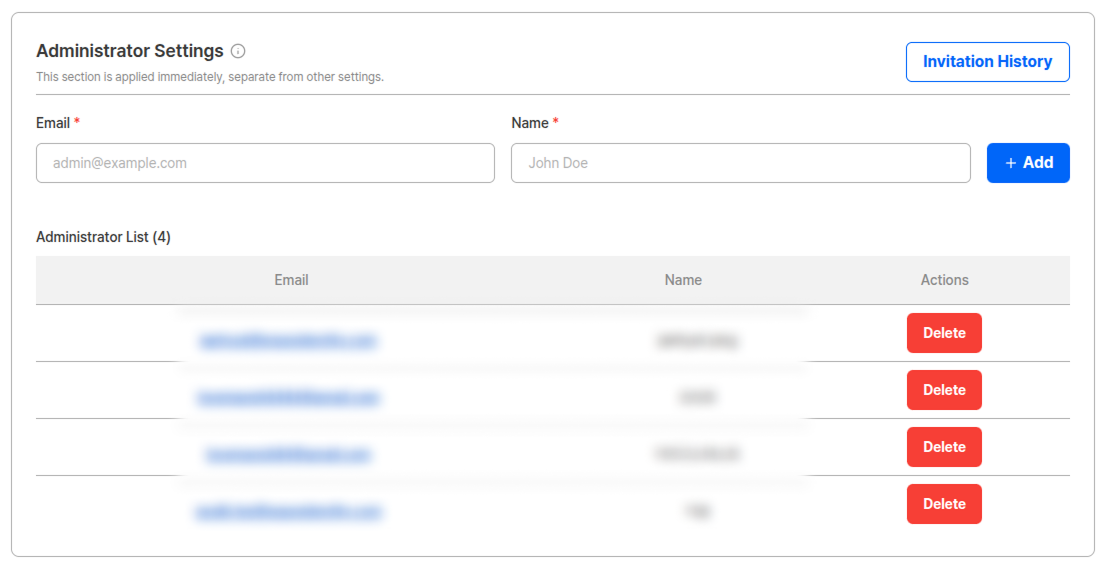
Administrator settings - Add and invite administrators
How it works
Invitation history
Click the Invitation History button to view the invitation history for the project’s administrators. You can manage invitation status, including the invited date and expiration date for each invitation.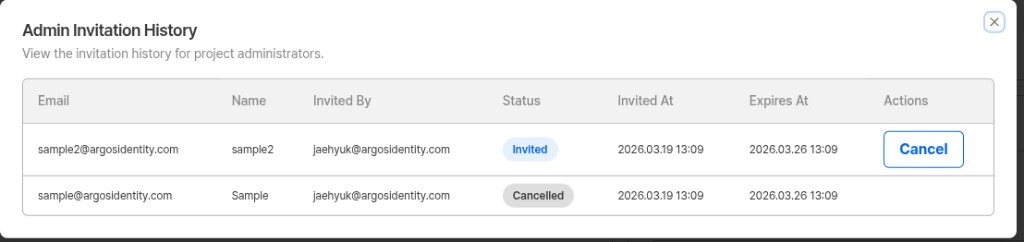
Admin invitation history - View invitation status and history
- Invitations are valid for 7 days from the date they are sent.
- If an invitation has expired, you can re-invite the user by entering their email and name again.
- For invitations with
Invitedstatus, you can cancel them using the Cancel button.
Device Verification
New Feature Device Verification has been added to analyze the information of devices accessing KYC authentication and preemptively block non-mobile device access such as desktops, virtual environments, and bots. The following 3 verification checks are performed.
If even 1 of the 3 verifications fails, the user is redirected to an error page (
DE-20000) and cannot enter the KYC process.
Pre-verification List menu added
The pre-verification list, previously located under User Submissions, has been separated into an independent menu. A Pre-verification List menu has been added between Statistics and User Submissions, with VPN & Proxy and Device Verification pages underneath.View Device Verification results
View device verification results.
Device Verification option settings
Activate the option in Authentication Enhancement and Forgery Prevention.
Custom Theme
New Feature You can now apply your brand colors to the KYC liveform using the new Custom Theme query string parameters:mainColor and innerColor. Specify a 6-digit hex color code to replace the default ARGOS theme colors with your own brand colors on CTA buttons and key UI elements.
Query string parameters
Example URL:
The content inside
encrypted must be encrypted. The URL above is shown unencrypted for illustration only.Color preview
Below is an example of the liveform withmainColor=#AEFF00 and innerColor=#FFFFFF applied. The CTA button color changes from the default ARGOS blue to the custom brand color.
mainColor: #AEFF00innerColor: #FFFFFF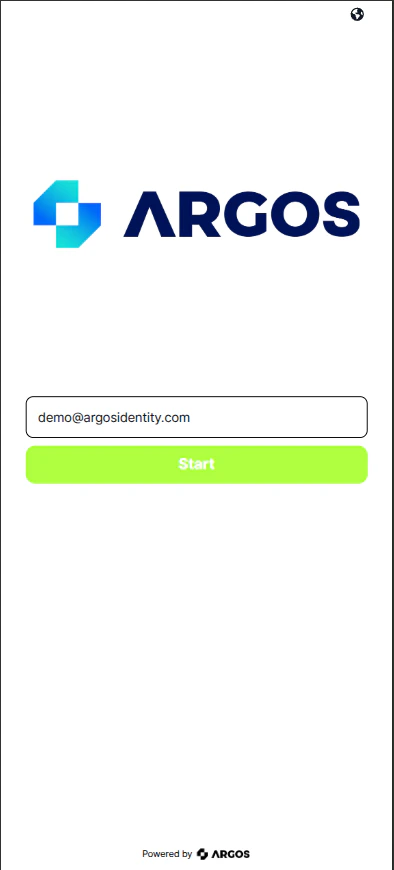
Liveform with Custom Theme applied (mainColor: #AEFF00, innerColor: #FFFFFF)
What changes
Custom Theme currently applies only to positive action elements such as CTA buttons and approval-related UI. Negative indicators (rejected, warning) and existing black text are not affected. Support for these elements is planned for a future update.
Custom policy reject code added
Feature Update A new reject code has been added for rejections due to custom policy application.ARGOS continually improves identity verification for stronger security and better user experience. Thank you for using ARGOS Identity. ARGOS Identity Team