

Use Cases
Phased Service Launch for Financial Institutions
Phased Service Launch for Financial Institutions
Banks can conduct initial testing in TRIAL phase, complete internal verification in TEST mode, then launch official service in OPEN status. Security can be enhanced through IP whitelisting to allow access only from internal networks, and secure data transmission options protect sensitive financial information.
Regional Project Management for Global Platforms
Regional Project Management for Global Platforms
International services can operate different projects by region, granting access permissions only to managers for their respective regions. Private Links provide security-enhanced authentication links, and privacy options help comply with each region’s data protection regulations.
Flexible Development and Operations for Startups
Flexible Development and Operations for Startups
When developing new services, you can verify functionality in TRIAL mode, conduct beta testing in TEST mode, then officially launch. Test both ID document and Knowledge-based methods to find the optimal balance between user convenience and security.
Each project status has different purposes and constraints, so selecting the appropriate status for your business stage is important. Billing based on credit usage may occur depending on configuration, so advance planning and operational decision-making are necessary.
Project Status Management
Projects are managed in 4 statuses according to purpose and development stage:| Status | Description |
|---|---|
| OPEN | Project status for official service. Billing based on credit usage may occur. |
| TEST | Project status for testing purposes. All operations are identical to OPEN status, except Pending processing is automatically excluded. |
| TRIAL | Users who sign up directly with ARGOS can test more than 15 submissions. |
| CLOSE | Terminated project status where submission and related features are no longer active. |
Submission Control System
The submission control system allows you to prepare for emergency situations.| Status | Description |
|---|---|
| Normal Operation | All eKYC processes are operating normally. |
| Emergency Stop | eKYC submissions are halted. (Submissions via Liveform and Post/submission) |
Liveform URL and Authentication Methods
ARGOS liveform supports 2 types of identity verification methods within 1 project:- 🪪 ID document
- 💡 Knowledge-based
ID document-based authentication method that verifies and authenticates user selfie information. This is the most common and secure method.
Authentication Method-specific SettingsUser policy, multi-factor authentication, and fraud detection setting options applied to ID document and Knowledge-based are all different. Applicable authentication methods for each option can be identified through the icon (🪪/💡) in the upper right of the option menu.
Private Mode and Encryption Settings
Various link security options are provided to enhance project security.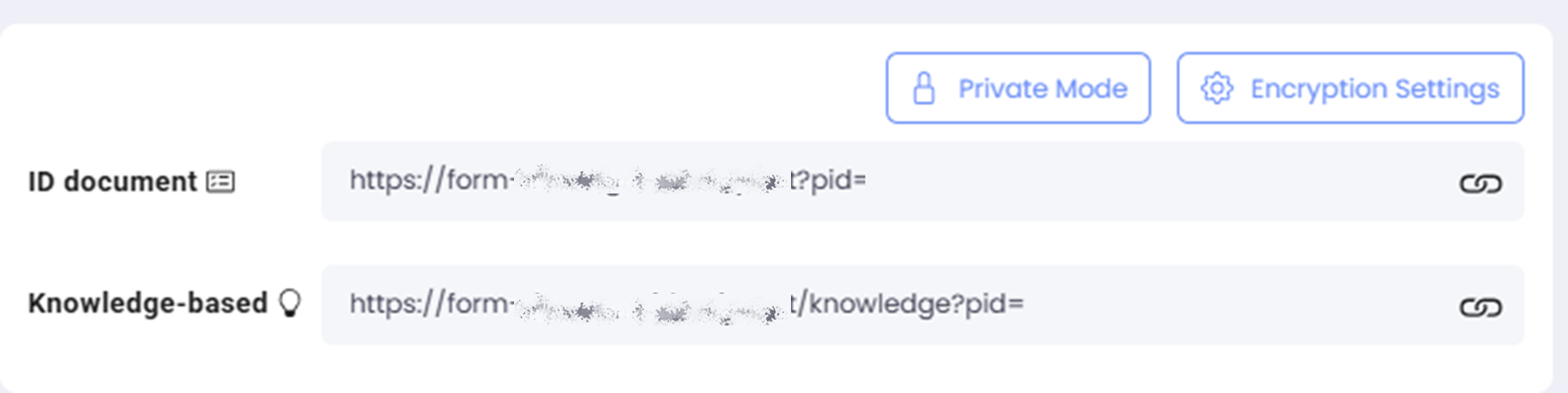
Private Mode and Encryption Settings Button Screen
Private Mode
Enhances security by preventing reuse of authentication-completed URLs.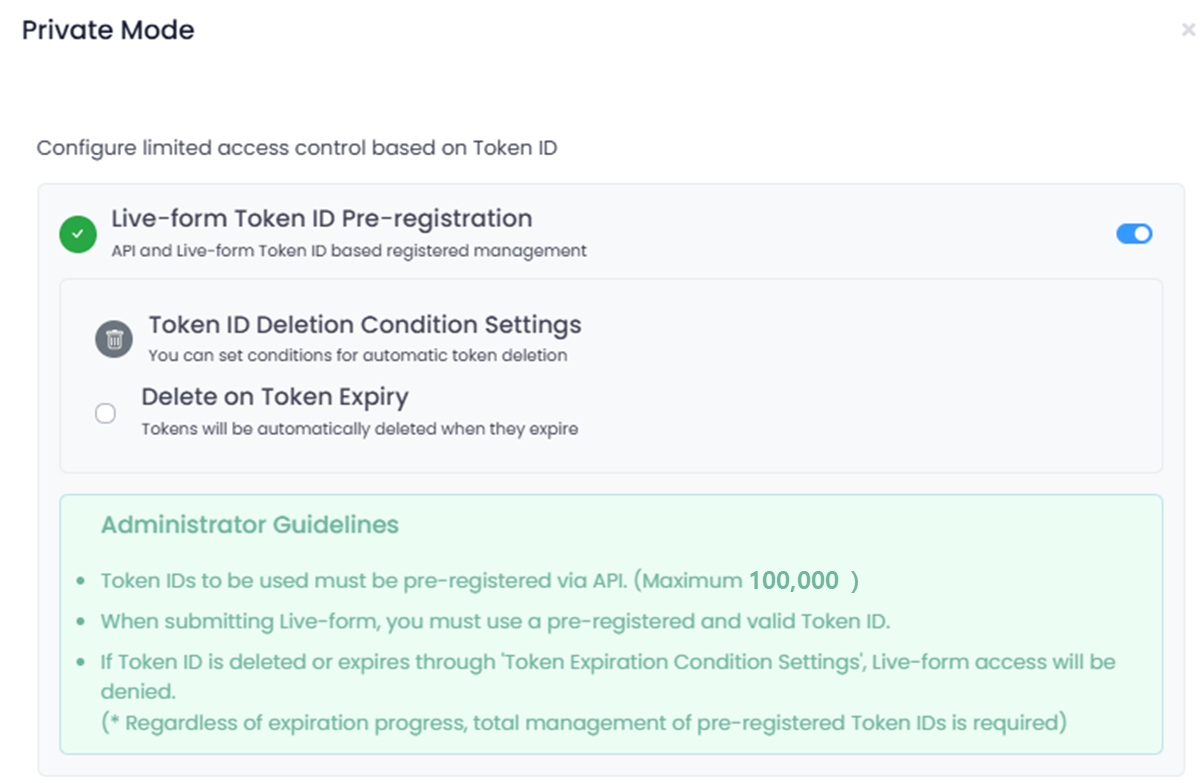
Private Mode Settings Screen
Live-form Token ID Pre-registration
Token IDs to be used can be pre-registered via API.- When activated, Token IDs to be used must be pre-registered. (Maximum 100,000)
- When using Live-form, a registered valid Token ID must be used.
- If Token ID is deleted or expired through ‘Token Expiration Condition Settings’, Live-form access will be denied.
Token API Documentation
Check Token ID registration/query/deletion API.
Token ID Deletion Condition Settings
Maximum Token ID capacity is 100,000, and total capacity management can be done through deletion functionality.| Setting | Description |
|---|---|
| Delete on Token Expiration | Deletion is automatically triggered when token expires. |
| Auto-delete Based on Registration Volume | Automatically deletes when token registration reaches threshold. |
| Deletion Start Threshold | Auto-deletion starts when a certain percentage is reached during token registration. |
| Deletion Ratio | Sets the percentage of tokens to delete at once during auto-deletion. |
| Deletion Priority | Select which tokens to delete first. (Recommended: Oldest first) |
Re-execution cycle for deletion is fixed at 10 minutes for system stability.
Token Expiration Condition Settings
Additional conditions can be set for when registered tokens expire.| Condition | Description |
|---|---|
| Count-based Expiration | Token expires immediately after 1 use. (Expiration timing: when user clicks “Start Authentication”) |
| Time-based Expiration | Token expires after a specified time from use. Can continue with same Token ID within specified time. |
Encryption Settings
Liveform encryption settings allow you to maintain a higher level of security for user submissions.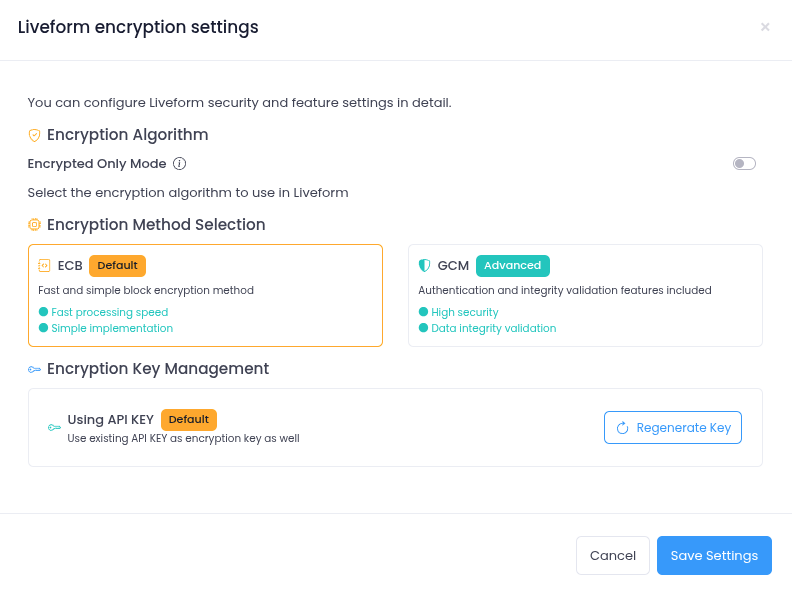
Encryption Settings Screen
| Setting | Description |
|---|---|
| Encryption-only Mode | Allows Liveform access only through encrypted URLs. |
| Encryption Method Selection | Provides both ECB and GCM methods simultaneously, use your preferred encryption method. |
| Encryption Key Management | Issue and use KEYs for encryption. |
Encryption Guide
Check detailed URL encryption methods.
Security and Privacy Settings
Various security options are provided for data protection and access control.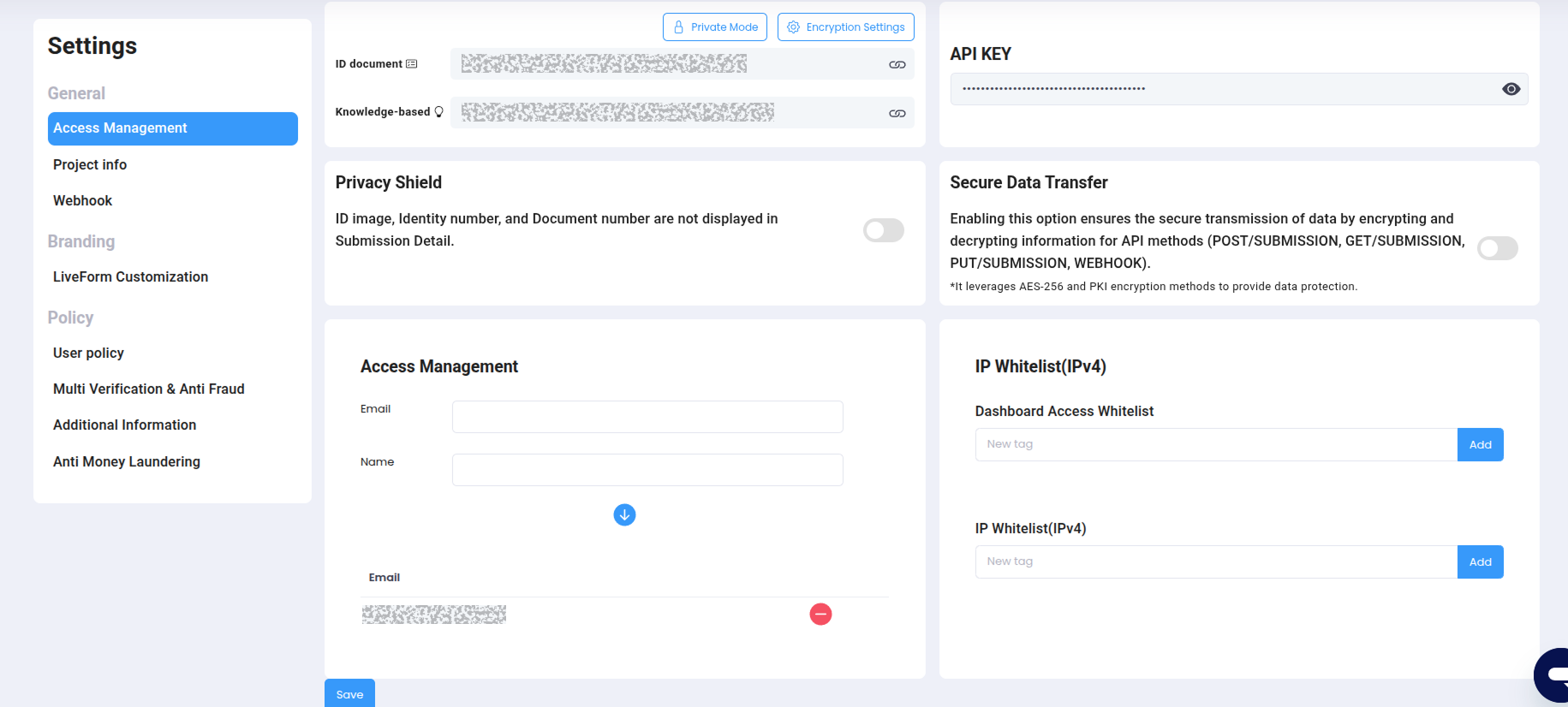
Administrator Settings Screen
| Setting | Description |
|---|---|
| API Key | Unique authentication key for accessing the project. |
| Privacy Protection | When activated, blurs ID images, ID Number, and Document Number in dashboard. (Does not delete information from database) |
| Secure Data Transmission | Encrypts and decrypts data using AES-256 and PKI methods for API methods. |
| IP Whitelist (IPv4) | Restricts dashboard viewing and API access to only specified IPs. |
Administrator Permission Management
Project-specific access permissions can be systematically managed.- Administrator Settings: Project-specific access permissions can be managed, and administrator registration is available in Settings ACCESS MANAGEMENT.
- Administrator Email List: Click on an account to view login records for that account.
Permission Management UpdatesCurrently, only adding/removing accounts with project access is available. Tiered permissions and detailed settings will be added in the future.