

AML Feature Overview
The AML (Anti Money Laundering) feature is an anti-money laundering monitoring function that allows you to reference whether a person may be a person of interest or risk based on their name, date of birth, and nationality from submitted information.Use Cases
Risk person screening for new account opening
Risk person screening for new account opening
Before approving new customer account openings at banks or financial institutions, AML screening can check whether the customer is on sanctions or risk person lists. This helps comply with anti-money laundering regulations and minimize financial institution risk.
Real-time monitoring for large transactions and remittances
Real-time monitoring for large transactions and remittances
For high-risk financial transactions such as large transactions or international remittances, AML functionality can verify in real-time whether transaction parties are risk persons. If set thresholds are exceeded, transactions can be immediately halted for additional review.
Periodic customer re-screening
Periodic customer re-screening
Periodic AML re-screening of existing customers can identify customers newly classified as sanctions targets or risk persons. Using the full date of birth match option minimizes false positives due to same-name individuals while enabling accurate monitoring.
AML Report Lookup
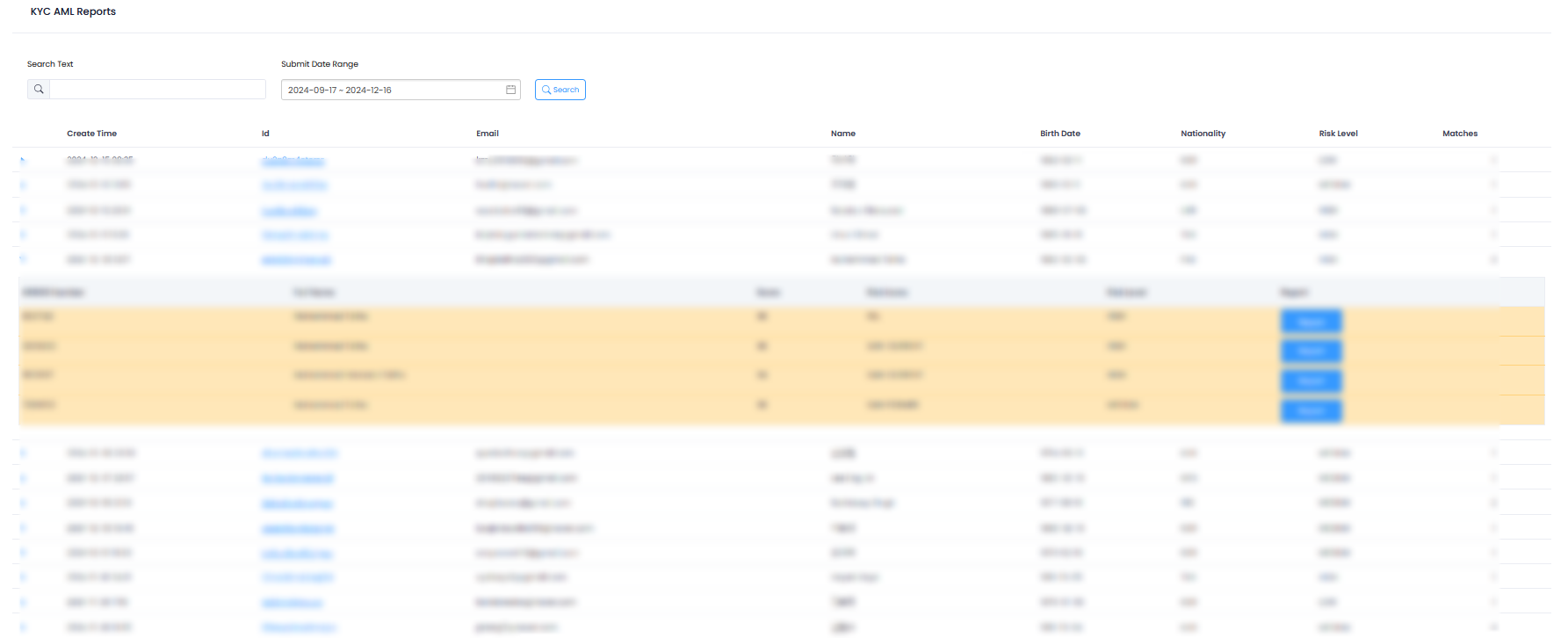
AML Report List
Available Information
The following information can be viewed in the AML report list:| Field | Description |
|---|---|
| Submission Time | Time when submission occurred |
| ID | Submission ID |
| Email Address | Submitter’s email |
| Name | Submitter’s name |
| Date of Birth | Submitter’s date of birth |
| Nationality | Based on issuing country |
| Risk Level | Risk level |
| Match Total | Number of matched persons |
AML Result Details
To view AML results searched based on the submitter’s personal information, click the left arrow of the submission to examine the person information that should be referenced according to AML criteria.Interpreting Match TotalA higher number in Match Total means there are more persons with overlapping name, date of birth, and nationality information.
Detailed Report Download
To view detailed information about the presented person, click the blue ‘Report’ button to download detailed information.AML Risk Classification
| Risk Level | Description | Response |
|---|---|---|
| High | High-risk person requiring immediate action | Immediate additional verification or rejection review |
| Medium | Medium-risk person requiring attention | Perform Enhanced Due Diligence (EDD) |
| Low | Low-risk person | Regular monitoring |
| No Match | No matching information in risk person database | Normal processing |
AML Feature Settings
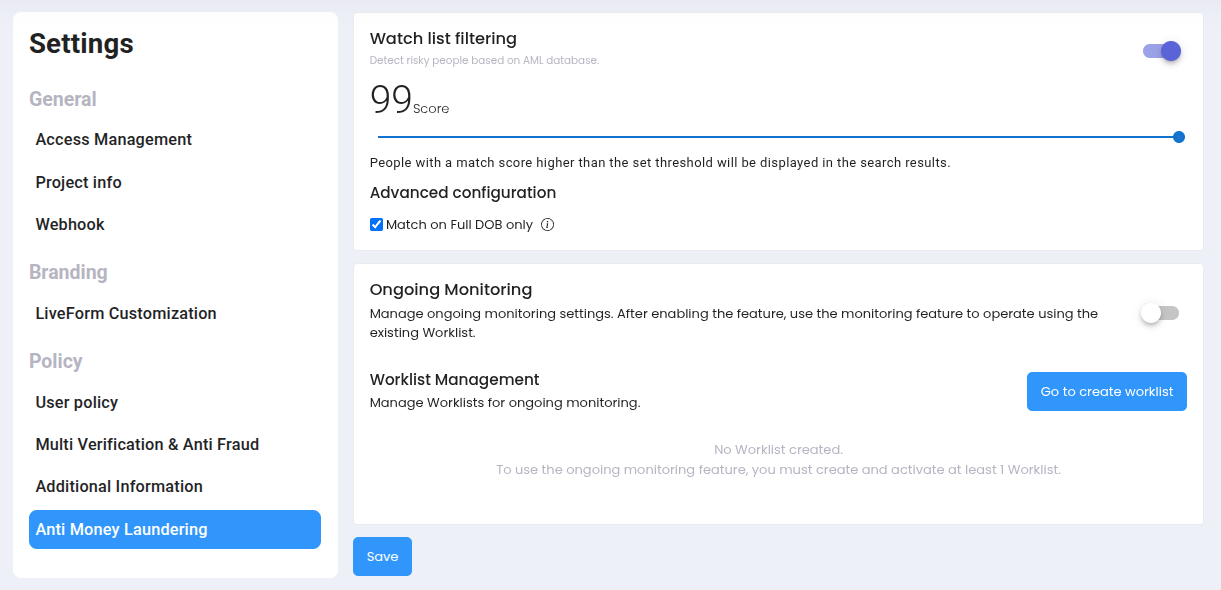
AML Feature Settings Screen
Watch list filtering
AML Watch list filtering can be performed on users who have completed eKYC.1
Activate AML Feature
To use the AML feature, first activate AML in the dashboard.
2
Configure AML Screening Policy
Set risk threshold and date of birth match options.
3
Execute AML Screening
After configuration is complete, AML screening automatically runs during the ID check verification process.
4
Review AML Screening Results
Check AML screening results on the submission lookup page.
Settings Options
| Setting | Description |
|---|---|
| Risk Threshold Setting | Directly set the score criteria for determining risk person status. All values are more lenient when lower and stricter when higher. |
| Full Date of Birth Match Option | Only displays search results when both profile (name, nationality) and date of birth match exactly. |
AML screening results should be used for reference purposes, and final decisions should be made according to relevant regulations and internal policies.
AML Monitoring Best Practices
Priority Review
Regularly prioritize review of High risk submissions.
Additional Investigation
Conduct additional investigation when Match Total is high.
Pattern Analysis
Analyze AML patterns by region and time period.
Policy Improvement
Review False Positive cases and improve policies.
Ongoing Monitoring
Ongoing Monitoring can be set up for continuous management monitoring of users who have completed eKYC.AML Ongoing Monitoring
Check continuous AML monitoring setup and management methods.