

Core Concepts
Understanding these three components will help you better utilize ongoing monitoring.Worklist
A workspace where you configure ongoing monitoring policies and register monitoring targets. You can manage multiple Worklists within a single Project.
Monitor Record
User information registered as a monitoring target. ARGOS performs periodic screening on these Monitor Records.
Matches
Matching results that appear when periodic screening is performed on monitoring targets. Compliance operations teams perform AML tasks by reviewing these Match results.
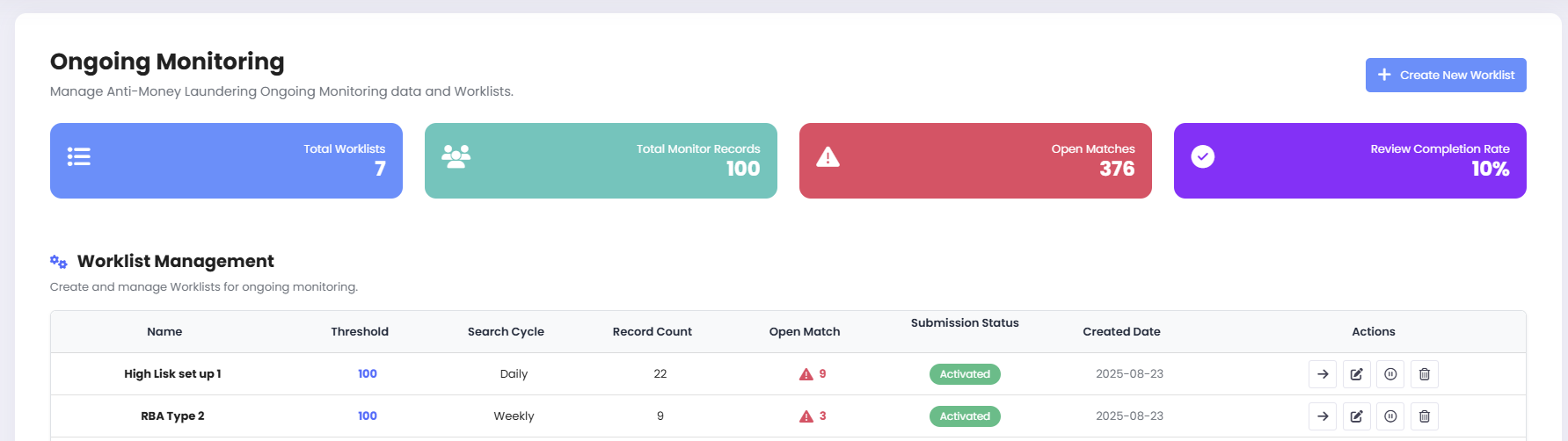
AML Ongoing Monitoring
Ongoing Monitoring Workflow
1
Design Worklist
Goal: Define monitoring scope and thresholds to determine “what changes trigger alerts.”
- Specify matching score criteria for thresholds (e.g., only Open at 90 or above)
- Set operational criteria such as exact date of birth matching
- Set processing priority: Sanctions > PEP > Reputation
- Agree on assigned roles and SLA (e.g., initial review within 1 business day of Open creation)
2
Determine Monitoring Registration Targets
Goal: Finalize monitoring targets to determine “watchlists for periodic comparison.”ARGOS supports three methods for registering monitoring targets:
- Automatic registration after eKYC (Settings - AML - Ongoing Monitoring ON)
- Additional registration based on Submission ID
- Separate registration based on identity information
3
Periodic Screening & Open Matching
Goal: Perform matching on registered monitoring targets to determine “Match information requiring manager review.”ARGOS re-screens all targets at set intervals and generates Open matches as alerts when data changes are detected.
4
Match Review (Determination & Comments)
Goal: Determine “final match results” through manager review of Open matches.Open matches should be promptly reviewed for factual accuracy and determined as either True Positive or False Positive.
5
Iterative Operations (Reopening/Discard Reflection)
Goal: Determine “re-execution processes” based on manager review results.ARGOS re-evaluates past determinations based on profile updates or score changes.
Worklist Management
In ongoing monitoring, you create multiple Worklists to operate different policies simultaneously.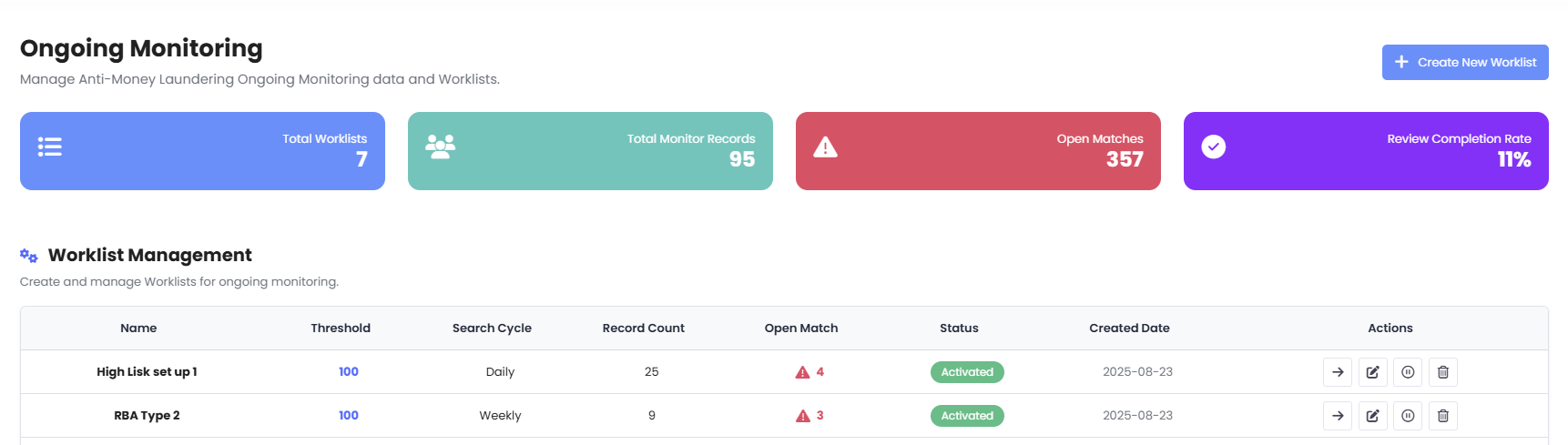
Worklist Management Screen
Key Metrics
| Metric | Description |
|---|---|
| Total Worklists | Total number of Worklists operating in the currently selected project |
| Total Monitor Records | Total number of individuals (records) registered for monitoring within the selected Worklist scope |
| Open Matches | Number of matches not yet determined and requiring review (including reopened matches) |
| Review Completion Rate | Percentage of matches created/reopened during the selected period that have been closed (determination completed) |
Worklist Creation Settings
1) Worklist Name
1) Worklist Name
The name that identifies Monitor Records entering this Worklist.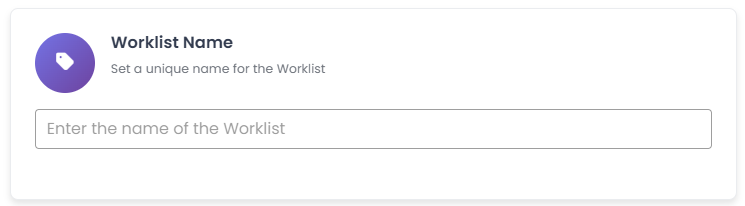
- KYC-KR-VIP-P-High-D2-v3
- Merchant-US-Standard-Low-D1-v1
2) Threshold Setting
2) Threshold Setting
Defines the match score (75–100) at which the system generates Open alerts.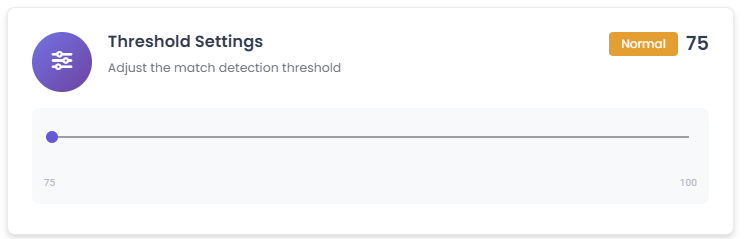
- Recommended starting value: Start at ≥ 93, then fine-tune by 1-2 points based on False Positive patterns
- Operational tip: Adjust so that daily Open volume stays within 80% of team processing capacity, considering review personnel and SLA
3) Birthdate Matching
3) Birthdate Matching
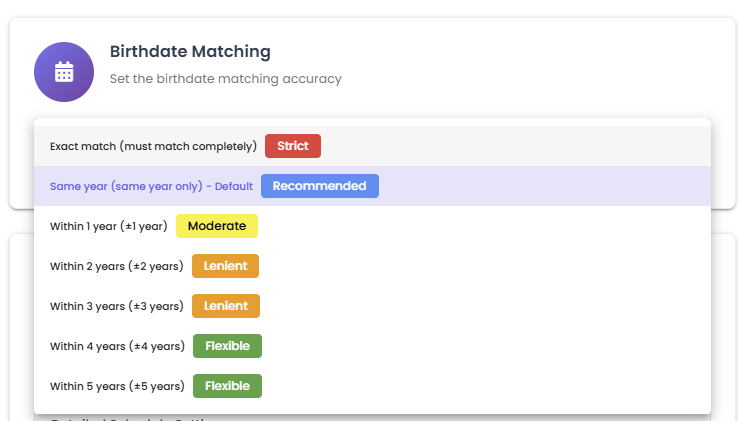
Uses DOB (date of birth) as a secondary key to reduce false positives from name similarity.
| Option | Description |
|---|---|
| 🔴 Strict | Exact match (YYYY-MM-DD). Recommended for sanctions, current PEPs, and cases with low false positive tolerance |
| 🔵 Recommended | Year-only match (default). Balanced for most PEP/regulatory/reputation data |
| 🟡 Moderate | ±1 year tolerance. Absorbs minor recording errors |
| 🟠 Lenient | ±2/±3 year tolerance. For markets with low DOB quality |
| 🟢 Flexible | ±4/±5 year tolerance. Limited to special Worklists requiring maximum sensitivity |
4) Search Cycle
4) Search Cycle
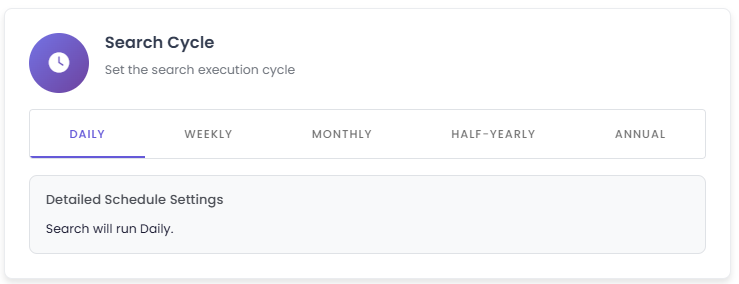
Determines the re-screening execution frequency.
| Frequency | Description |
|---|---|
| 📅 Daily | Once per day (default, recommended). Catches frequent updates in sanctions, PEP, and reputation data |
| 📅 Weekly | Once per week. Suitable for low-risk/inactive cohorts |
| 📆 Monthly | Once per month. Suitable for B2B partners with infrequent profile changes |
| 🌓 Half-Yearly | Twice per year. When regulatory expectations are low and audit trail capture is the goal |
| 🎯 Annual | Once per year. For meeting minimum legal compliance requirements |
All screening jobs run at 19:00 GMT (04:00 AM Korea time).
Monitor Record Management
The Monitoring Records screen is where you view, add, and manage targets (Records) registered in worklists.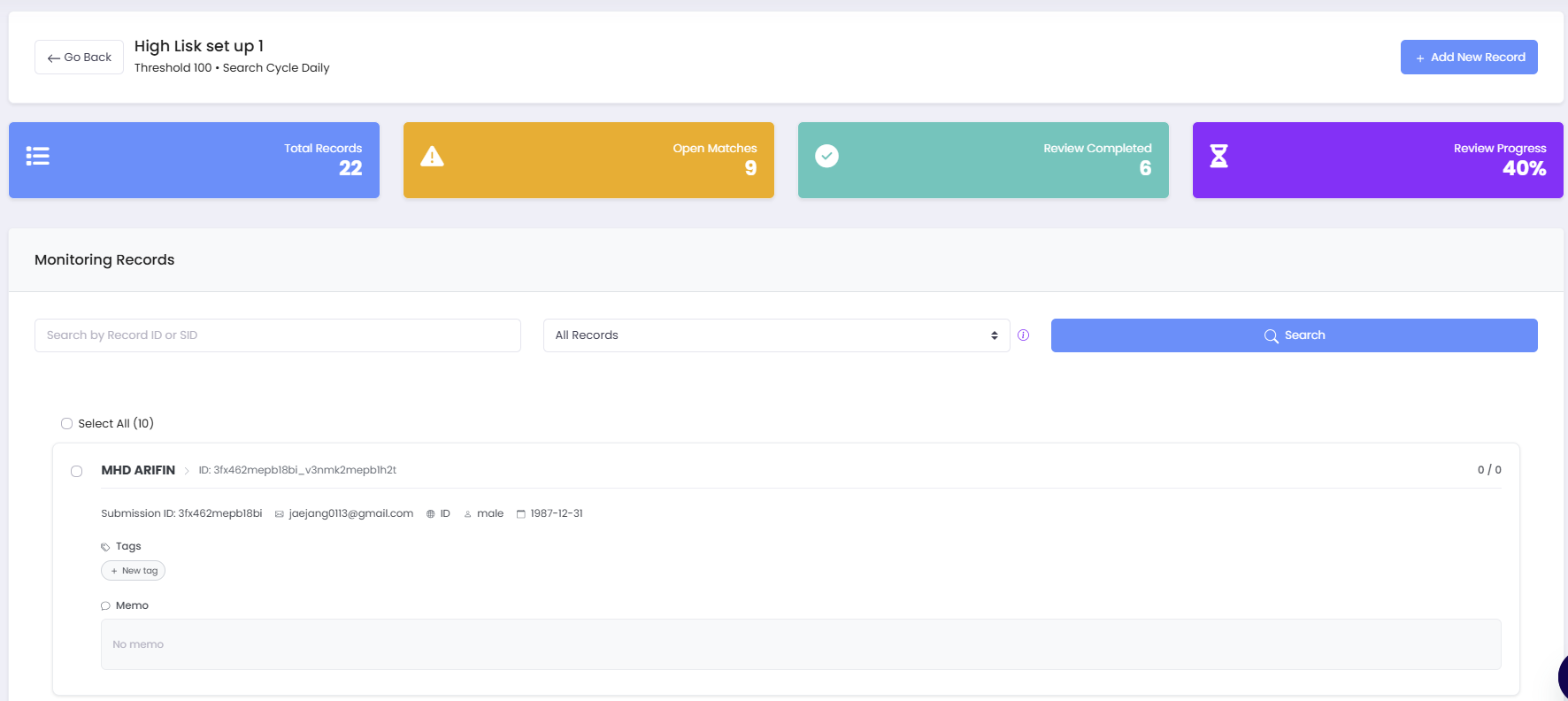
Record Status
| Status | Description | Action |
|---|---|---|
| Pending Screening | Upload complete, not yet screened | Wait for system to automatically screen |
| No Match | Screening complete, no matches | Maintain monitoring only, no action required |
| Match Open | One or more open matches (review required) | Click card → Review match details and process |
| Review Completed | No open matches (includes closed/discarded matches) | Record retention state |
Monitor Record Registration Methods
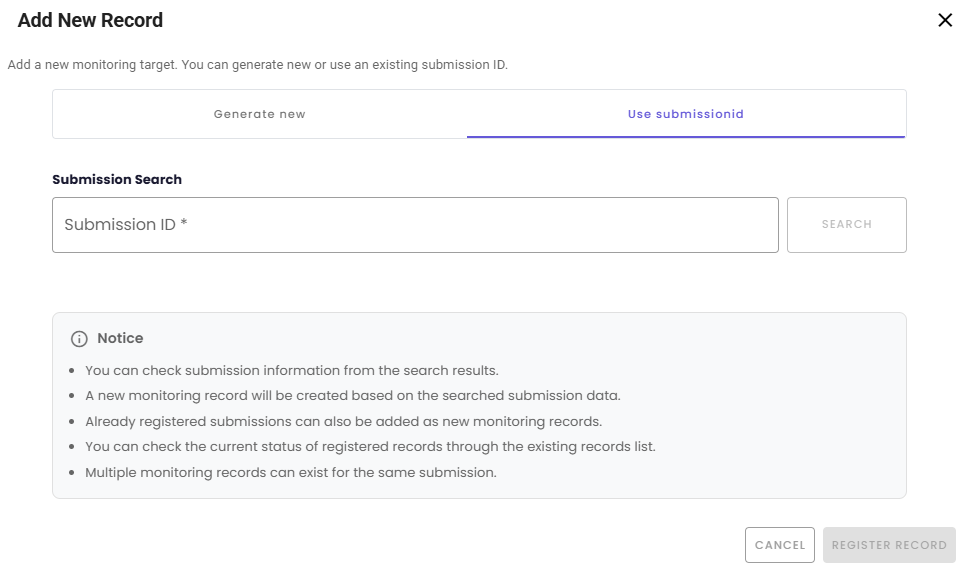
- Generate new
- Use submissionid
When no existing eKYC submission exists, you can add externally collected targets to monitoring.A new submission ID is generated, and the entered identity information is registered as an Approved eKYC.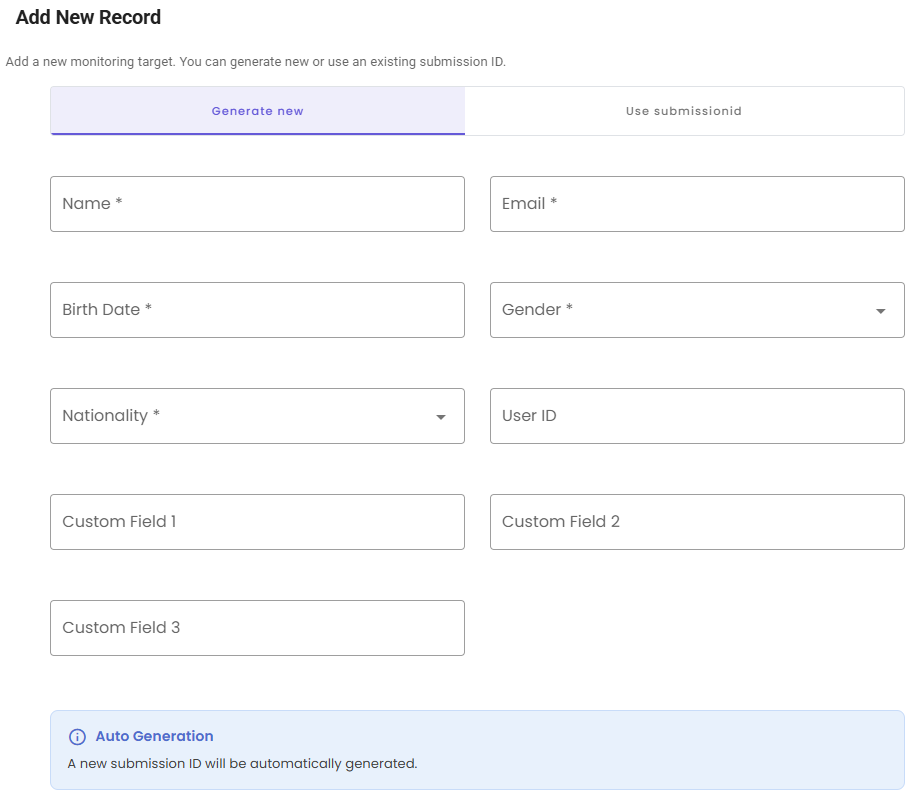
Match List Management
The Match List displays all match results when a specific user in ARGOS ongoing monitoring matches against sanctions, PEP, regulatory enforcement, reputation risk, POI, and other lists.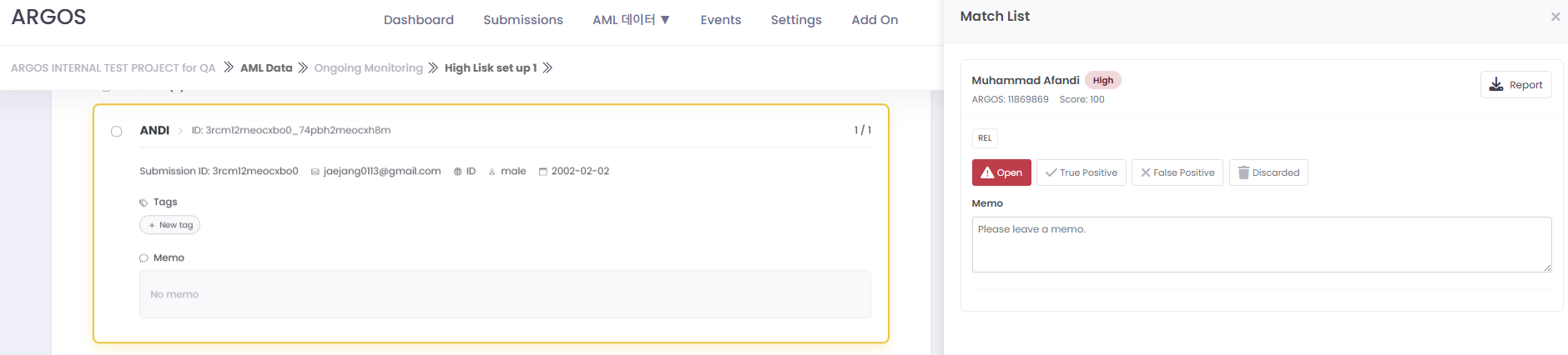
Matches indicate “possible similarity,” so compliance officer review is mandatory.
Match List Components
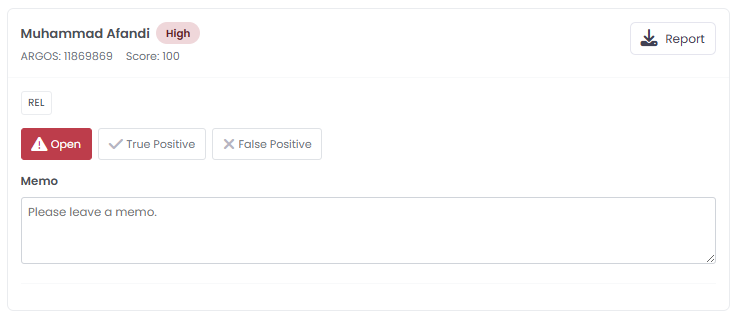
| Component | Description |
|---|---|
| 🧑💼 Name/Profile | Matched person/entity information |
| 🚦 Risk Level | High / Medium / Low |
| 🎯 Match Score | 0-100 (higher = greater match likelihood) |
| 📄 Report Download | View detailed evidence |
| 🛠️ Action Buttons | Open / True Positive / False Positive / Discarded |
| 📝 Notes Field | Record review rationale and evidence |
Match Status
🟡 Open
🟡 Open
Indicates that the monitoring target showed a certain level of similarity when compared against lists, creating a pending review status.Open status means review is required, so immediately starting the review is important.
✅ True Positive (TP)
✅ True Positive (TP)
Review confirms the target is exactly the matched person/entity.
- Execute immediate actions: offboarding, transaction restrictions, enhanced review, etc.
- Mandatory: Record initials, date, reason, and evidence link in notes
❌ False Positive (FP)
❌ False Positive (FP)
Review confirms the match is a different person/entity.
- Score may be high, but definitively a different target
- Recording non-match evidence in notes is useful for future audit response and system threshold adjustment
🗑️ Discarded
🗑️ Discarded
Indicates the match is no longer a meaningful review target.
- The list was updated and the item became unnecessary, or
- Policy criteria changes excluded it from match conditions
- Remove unnecessary items from the queue to maintain efficient workflow
Match Reopening
Refers to previously determined matches returning to “Open” (review) status due to data updates or risk indicator changes.| Previous Determination | Reopening Condition |
|---|---|
| True Positive | Always OPEN when related profile is updated |
| False Positive | Reopened only when match score increases |
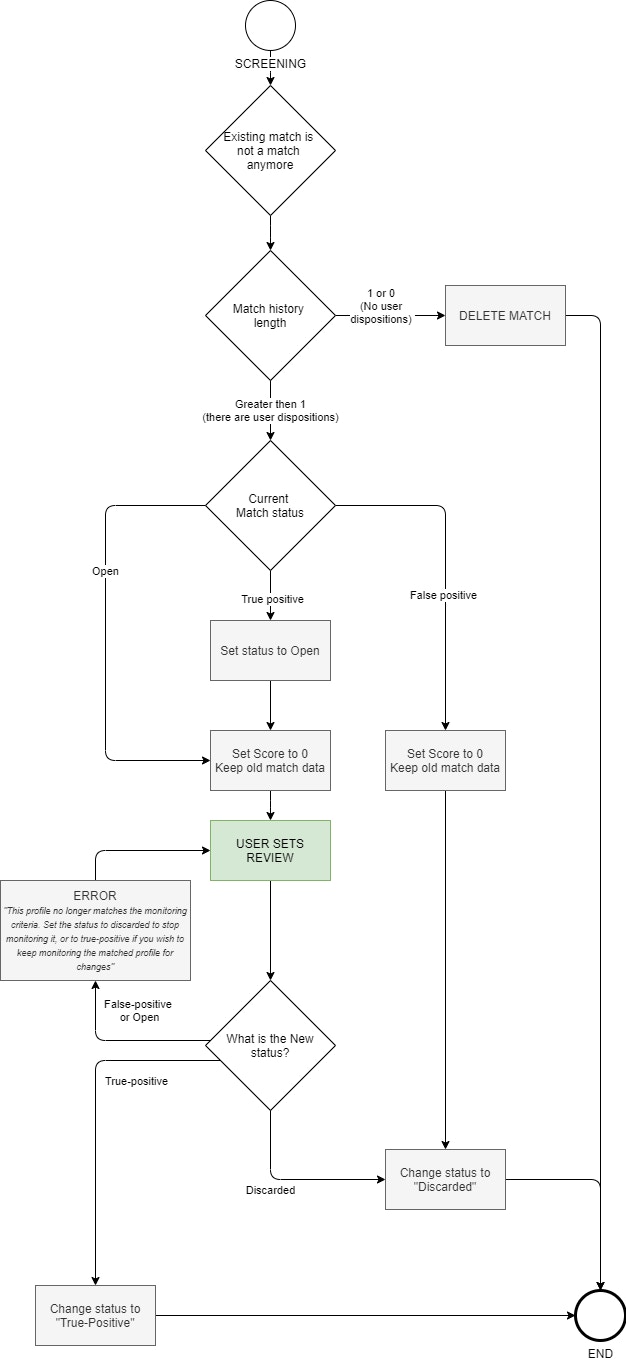
No Longer a Match (Discard Logic)
When re-screening results show a specific user no longer meets match conditions, the score can be set to 0.- In this case, the match should be cleaned up with Discarded status.
- However, matches with no determination history may be automatically deleted by the system.
Flowchart
Flowchart
Frequently Asked Questions
How do I prevent duplicate registration when operating multiple Worklists?
How do I prevent duplicate registration when operating multiple Worklists?
Since Worklists operate independently, the same user can be in multiple Worklists. To prevent this, establish a 1:1 mapping rule based on USER ID, and when purposes overlap, consider merging Worklists or adjusting filters.
If I lower the Threshold, won't there be too many alerts? What should I do when short-staffed?
If I lower the Threshold, won't there be too many alerts? What should I do when short-staffed?
Raise the Threshold to reduce alert volume, or separate low-risk groups into a separate Worklist with lower frequency checks. If alerts pile up beyond SLA capacity, priority-based queue management (Sanctions > PEP > Reputation) is necessary.
Is a match score of 100 always a True Positive?
Is a match score of 100 always a True Positive?
No. The score only indicates similarity likelihood; final determination requires operator review. For example, someone with the same name and nationality could be a False Positive.
Can a match reopen after I determined it as False Positive?
Can a match reopen after I determined it as False Positive?
Yes. Past False Positives can be reopened (Open) if the match score rises again or data is updated. In this case, it must be reviewed again.
Do I have to write notes?
Do I have to write notes?
Yes. We recommend writing notes for all determinations. This is an essential procedure for internal and regulatory audit response.