

1. Set Return URL Option in Dashboard
You can set the Return URL option in the Dashboard. When the KYC process is completed and the submitter selects the “Ok” button or waits for 5 seconds, the page redirects to the Return URL address with the dynamic field parameters. Starting with the 2026-04 update, users can also return to the configured Return URL when they land on an error page, and in that case theerrorCode parameter is included so that your service can identify the reason for the block.
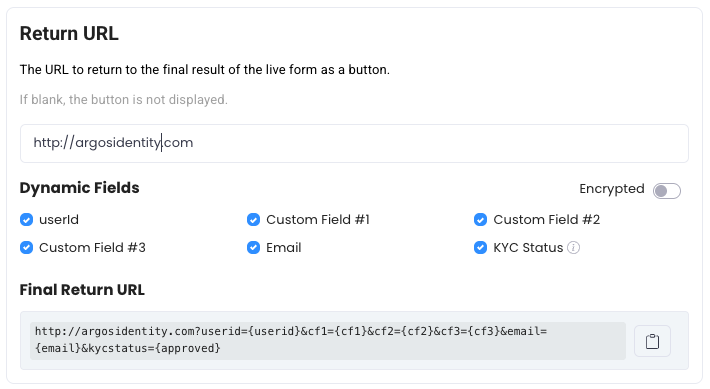
2. Support to parameters in Dynamic Fields
2-1. Key Query String Parameters
string
The user ID value, which is connected to the submission
string
Custom field 1 optionally added during submission
string
Custom field 2 optionally added during submission
string
Custom field 3 optionally added during submission
string
The email value, which is connected to the submission
string
The Submission ID of the submitted record
string
KYC result. Following this parameter name is camelCase (case-sensitive). Based on the result, it returns
approved, pending, or rejected.string
(2026-04 New) The error code passed when the user is taken to an error page. Examples:
DE-20000 (Device Verification failure), DE-30000 (Fingerprint detection), DE-40000 (Device duplicate exceeded), TK-10001 (token expired). Not passed on normal completion. See Error Codes and Pages for the full code list.2-2. Returning to Return URL from an error page
When a user is blocked by pre-verification (Device Info, VPN/Proxy, etc.) or token validation and is taken to an error page, they can return to your service via the Return URL button — as long as Error Code (errorCode) is checked in dynamic fields in the Dashboard. An example of the URL passed in this case is:
Branching logic based on errorCodeYour service can use the
errorCode value to provide users with appropriate follow-up guidance (e.g., recommending use of a mobile device, directing them to request a new token, etc.).