

Private Mode
Strengthens security by preventing reuse of authenticated URLs.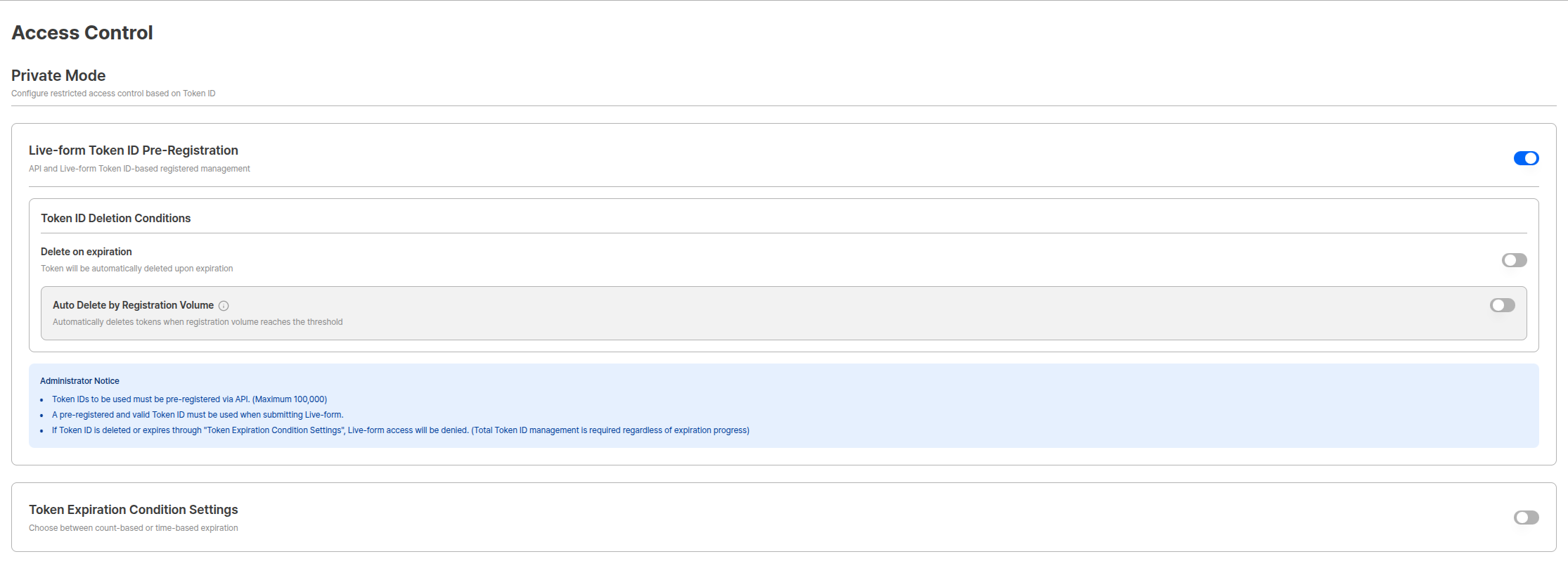
Private Mode Settings Screen
Live-form Token ID Pre-registration
You can use tokens without pre-registration, but when the Live-form Token ID Pre-registration option is activated, only pre-registered tokens can be used.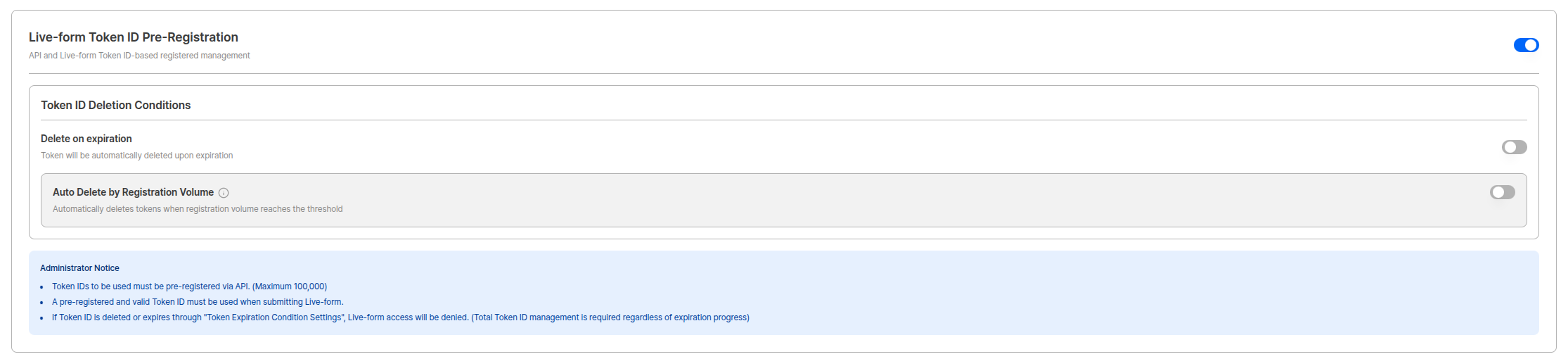
Live-form Token ID Pre-registration Settings Screen
Administrator Guidelines
Important Guidelines
- Token IDs to be used must be pre-registered via API. (Maximum 100,000)
- Pre-registered and valid Token IDs must be used when submitting Live-form.
- If Token ID is deleted or expired through ‘Token Expiration Condition Settings’, Live-form access is denied. (Pre-registered Token ID total management is required regardless of expiration progress)
Token API Documentation
Token ID Deletion Condition Settings
Token ID total is limited to a maximum of 100,000. Automatic deletion function is provided for cases where real-time management is difficult.Delete on Token Expiration
A function that automatically deletes tokens when they expire.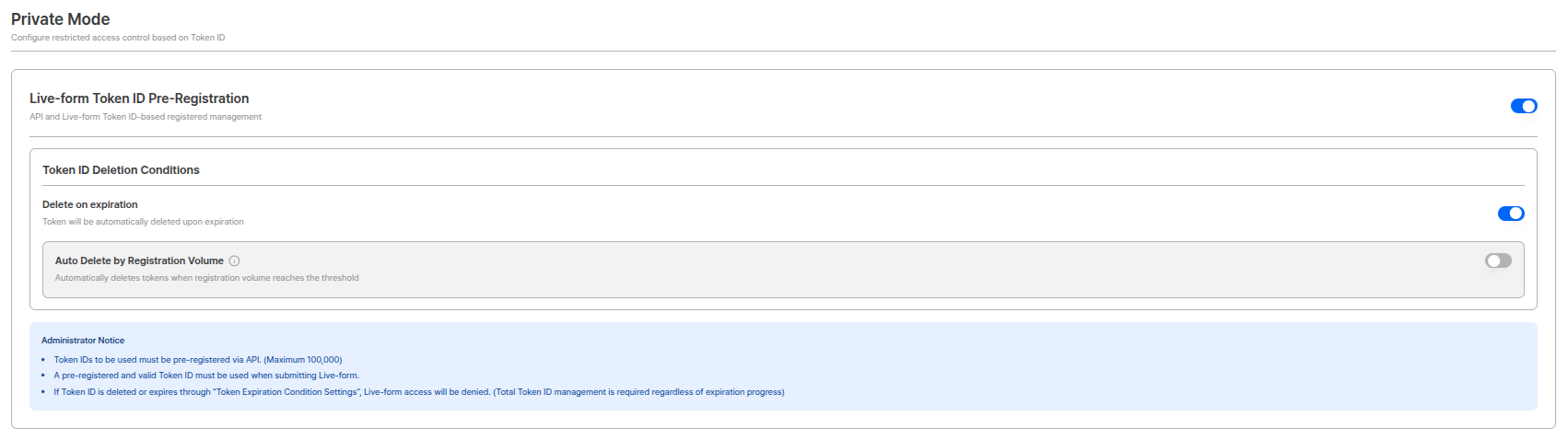
Automatic Deletion on Token Expiration Settings
Volume-based Automatic Deletion
A function that automatically deletes when token registration volume reaches threshold.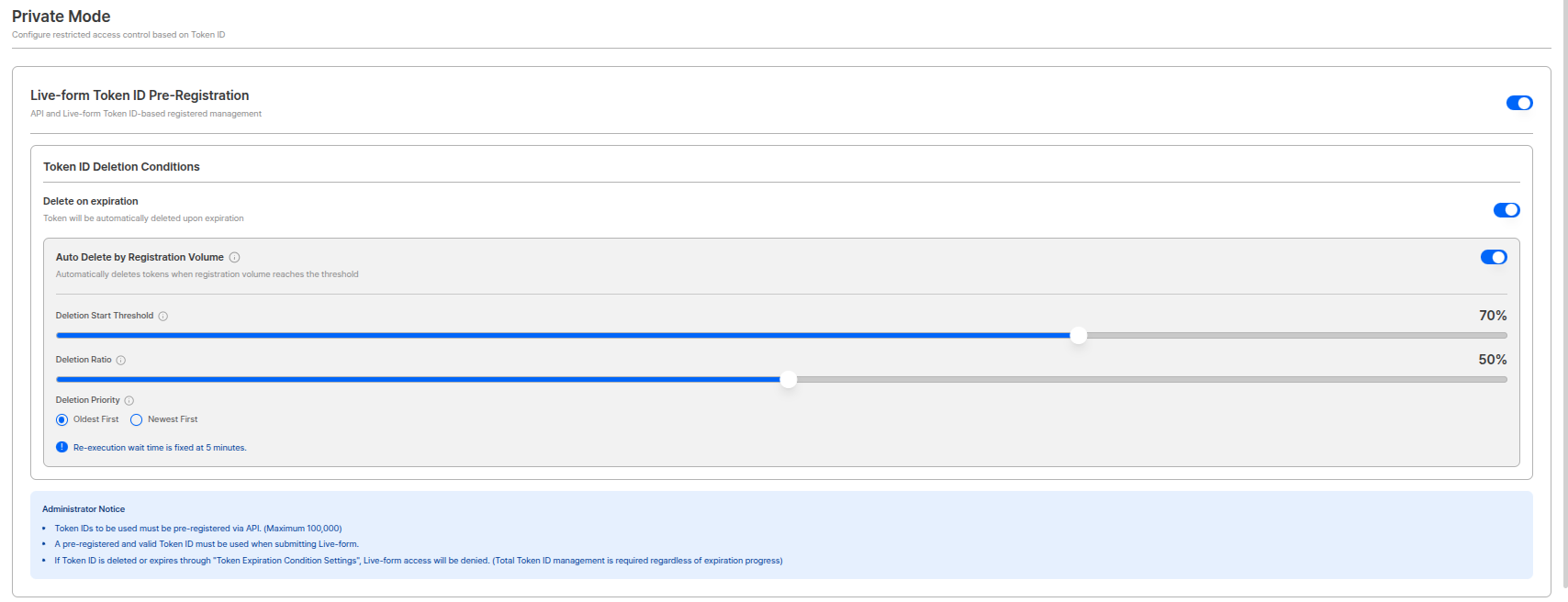
Volume-based Automatic Deletion Settings
Re-execution Wait TimeRe-execution cycle for deletion is fixed at 5 minutes for system stability.
Token Expiration Condition Settings
Sets conditions for registered tokens to expire. This setting is separate from token deletion and defines conditions for tokens to expire and become unusable.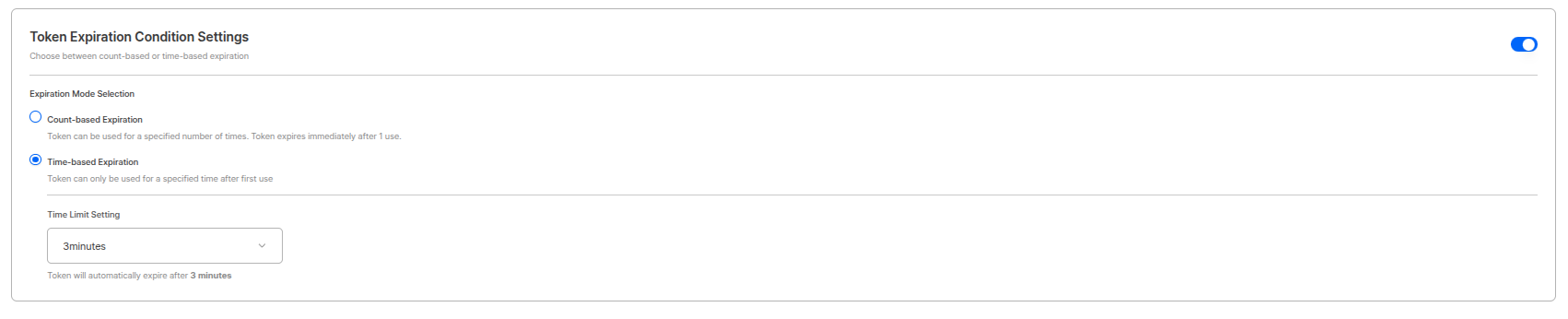
Token Expiration Condition Settings Screen
Token Expiration Point
- Usage-based Expiration: Token expires when user clicks “Start Authentication” button in liveform.
- Time-based Expiration: Token expires when set time passes from when token was first used.
Difference Between Expiration and Deletion
- Expiration: Token becomes unusable but still exists in Token Pool.
- Deletion: Completely removed from Token Pool and deducted from total.