

Project list
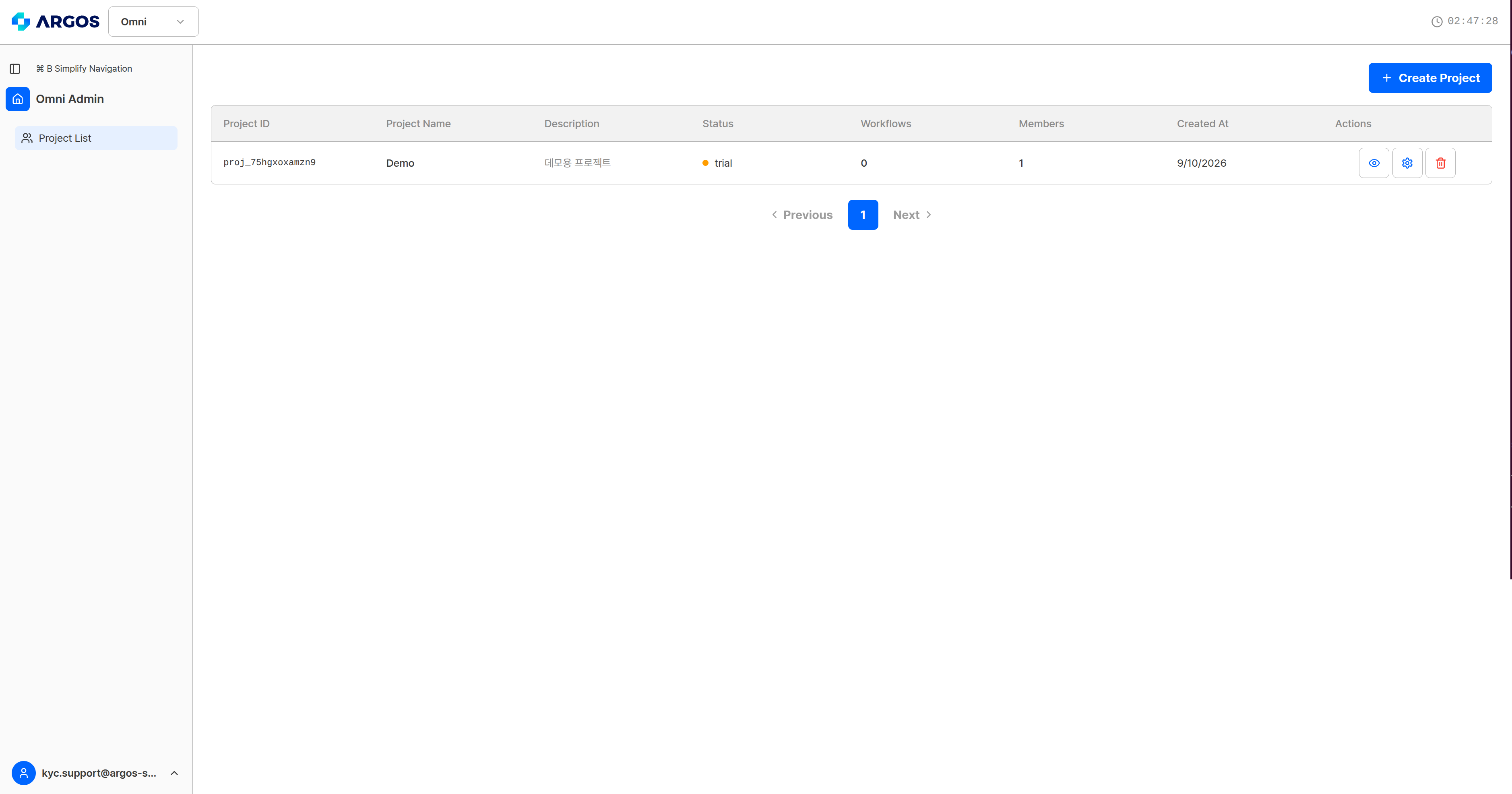
The project list — select a project to manage its workflows.
Paging controls sit below the list.
With no projects at all, the screen prompts you to create one to get started.

The first-run screen, with no projects yet.
Creating a project
Selecting Create Project opens a dialog.
Create Project — the name is required, the description optional.
Creation takes a moment, because it also initializes the item store and connects the training data. When it finishes, an API key is issued automatically.
Each user can have up to 5 projects. Beyond that, creation is refused with a message about the per-user project limit.
Project status
When a trial ends, the status changes to expired. Environment credits are billed daily in every status.
Deleting a project
Use Actions → Delete in the list. Only the project owner can delete a project; an account added as an administrator is told that only the owner can do it.The four project management tabs
Project Management opens four tabs. The top of the screen reads “Manage settings and administrators for «project name»”.
The Project Info tab — name and description are editable; ID, status, and creation time are read-only.
The Project Info tab
The description limit differs between the two screens: 100 characters in the create dialog, 500 characters on the info tab.
Limits at a glance
The full list is in resource limits.
Related API
Creating, editing, and deleting projects is not offered through the API. Reads only —GET /projects/:projectId.