

Invite administrators
New Feature You can now invite people who don’t have an Omni account yet. On Project Management → Admin Settings, enter an email and select + Add.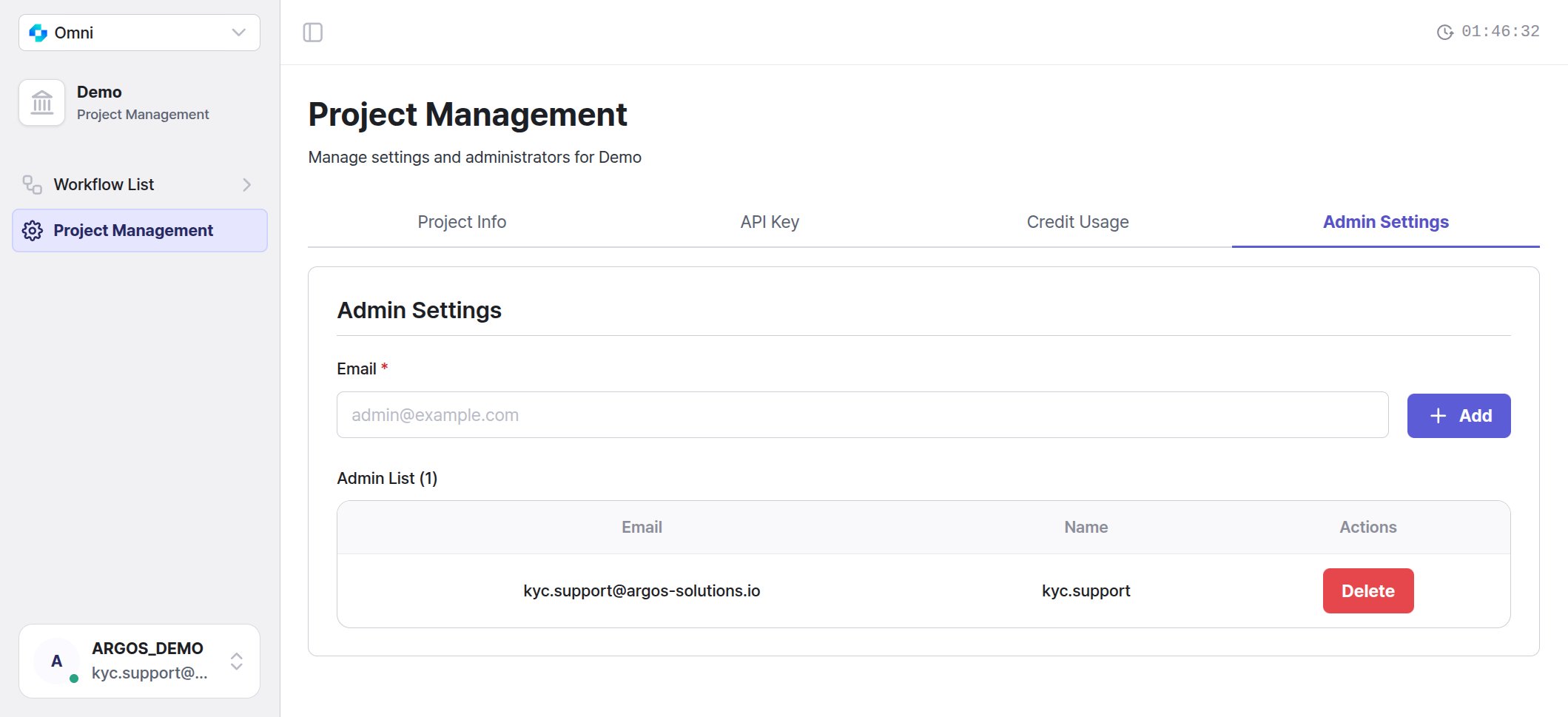
The Admin Settings tab — the only input is the email.
An invitation link is valid for 7 days. Right after you send one, Invitation delivery status below the email field shows where it stands — awaiting signup, accepted, expired, send failed — and an expired or failed invitation can be sent again — admin settings.
You no longer enter a name when adding an administrator. The only input is the email.
Coming in through the Omni URL opens Omni
UX Improvement After sign-in you land on the product whose URL you came in from. Sign in athttps://omni.argosidentity.com and you go straight to your Omni project, or to the project list if you have several. Accounts that use both ID Check and Omni follow the same rule.
Previously, coming in through the Omni URL could still open the ID Check dashboard after sign-in. When you point teammates to Omni, share omni.argosidentity.com.
New design
UX Improvement The dashboard now runs on the ARGOS design system. Colors, type, and common elements such as buttons, inputs, tables, dialogs, and date pickers have a new look. Features and menu locations stay the same. The ID Check dashboard uses the same design, so the two products look and respond the same way as you move between them.Some screenshots in these docs still show the previous design. They are being replaced.
Related pages
- Admin settings — adding, inviting, and removing administrators, and invitation states
- Dashboard overview — screen structure and product switching