> ## Documentation Index
> Fetch the complete documentation index at: https://developers.argosidentity.com/llms.txt
> Use this file to discover all available pages before exploring further.
# 프로젝트 관리
> Omni 프로젝트를 생성 및 관리하고, 워크플로우를 확인하고, 프로젝트 상태를 모니터링합니다.
## 프로젝트
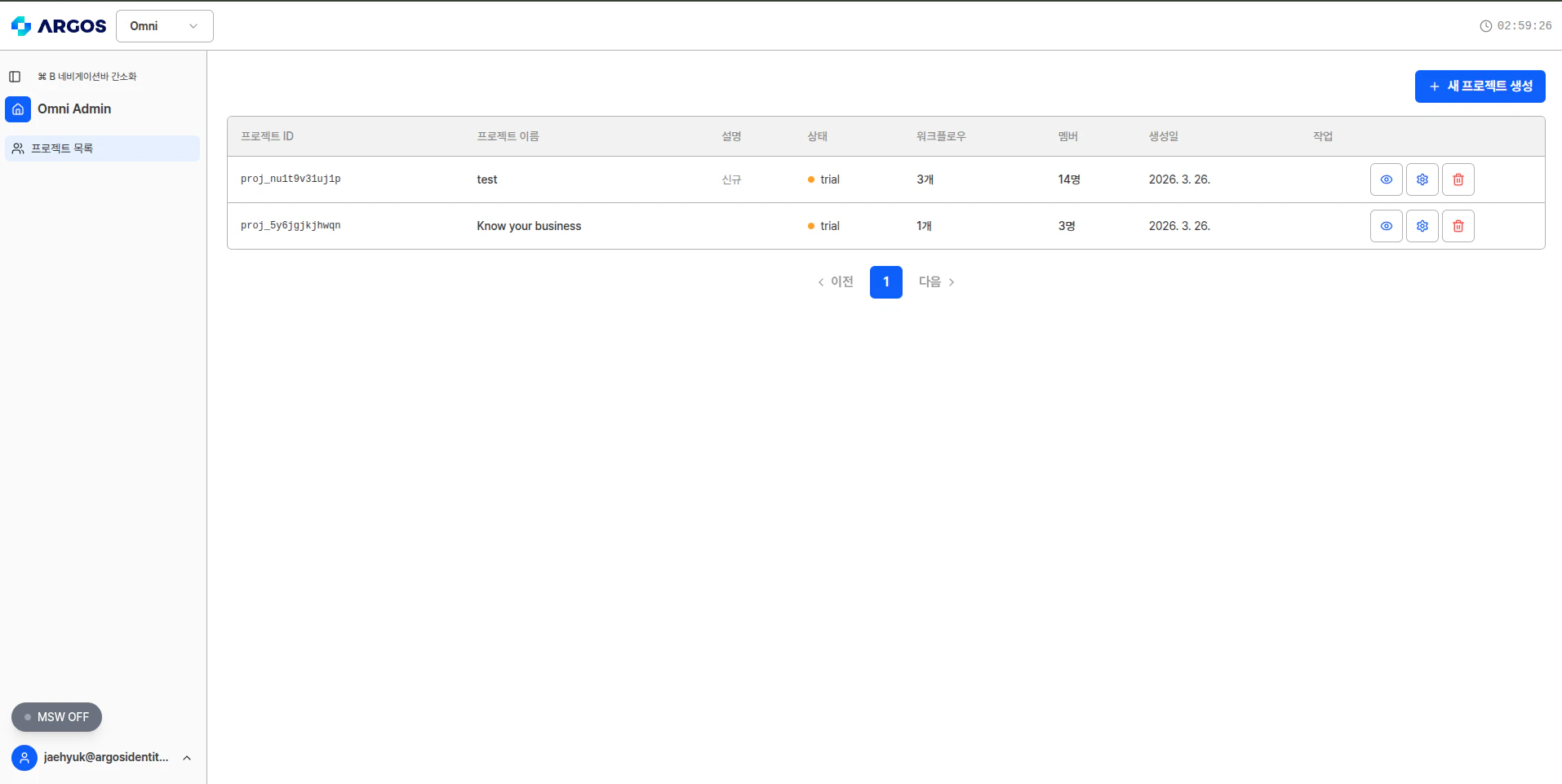
프로젝트는 Omni의 최상위 컨테이너입니다. 각 프로젝트는 API 키에 연결되며 최대 **10개의 워크플로우**를 포함할 수 있습니다.
 ### 프로젝트 제한
| 리소스 | 제한 |
| ----------- | --- |
| 사용자당 프로젝트 | 5개 |
| 프로젝트당 워크플로우 | 10개 |
| 워크플로우당 프로필 | 무제한 |
### 프로젝트 상태
프로젝트는 다음 상태로 전환됩니다:
새 프로젝트는 **Trial** 상태로 시작되며 전체 읽기/쓰기 접근이 가능합니다. Trial 프로젝트는 **1개월** 후 자동으로 Closed로 전환됩니다.
모든 접근 권한이 있는 활성 프로젝트입니다. 모든 CRUD 작업과 분석 실행이 가능합니다.
읽기 전용 모드입니다. `GET` 요청만 허용됩니다. 새로운 프로필, 아이템, 분석을 생성할 수 없습니다.
### 대시보드에서 프로젝트 관리
대시보드에서 다음을 수행할 수 있습니다:
* 모든 프로젝트와 상태 확인
* 프로젝트 설정 및 API 키 접근
* 각 프로젝트 내 워크플로우로 이동
* 사용량 통계 모니터링
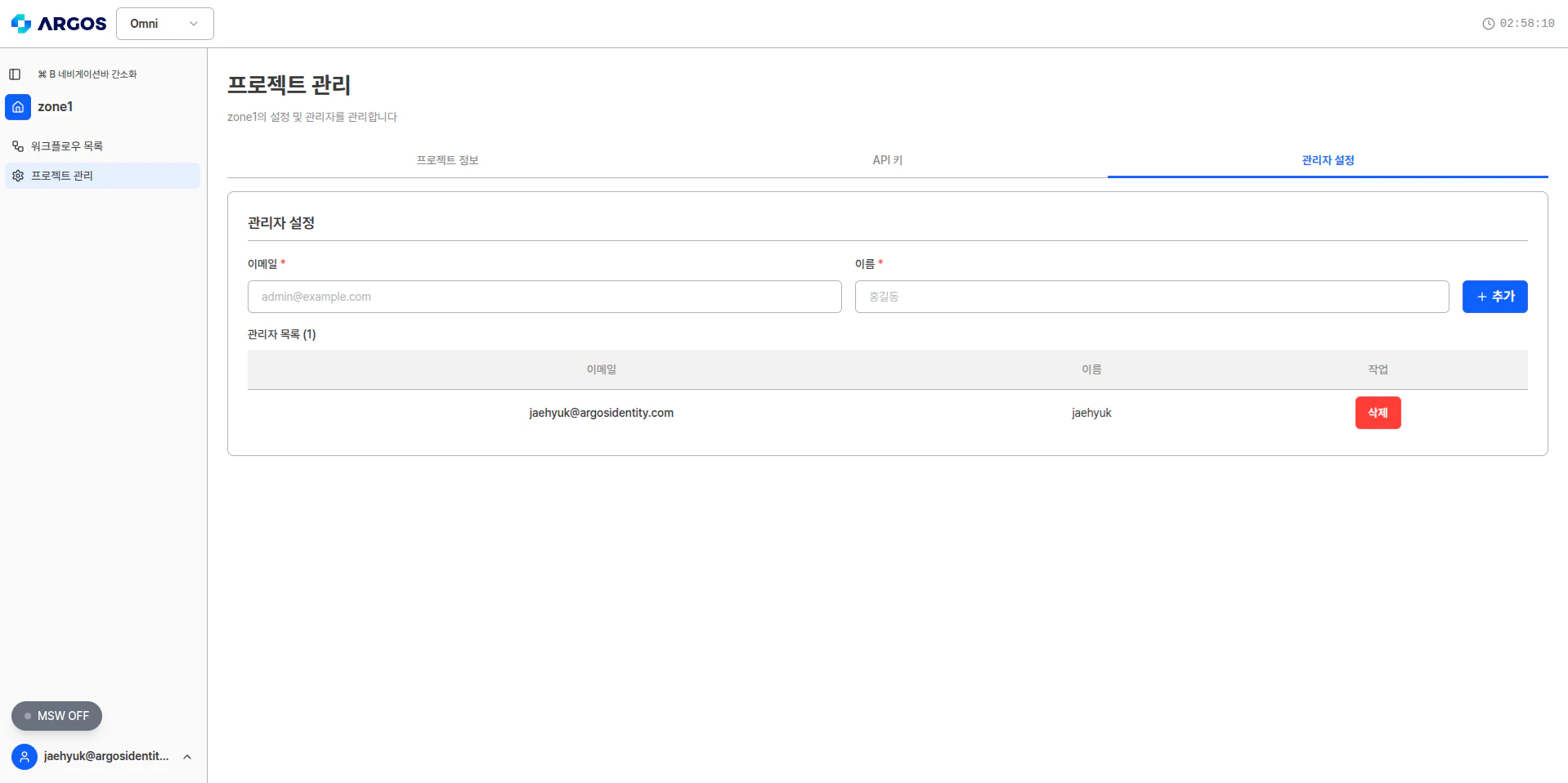
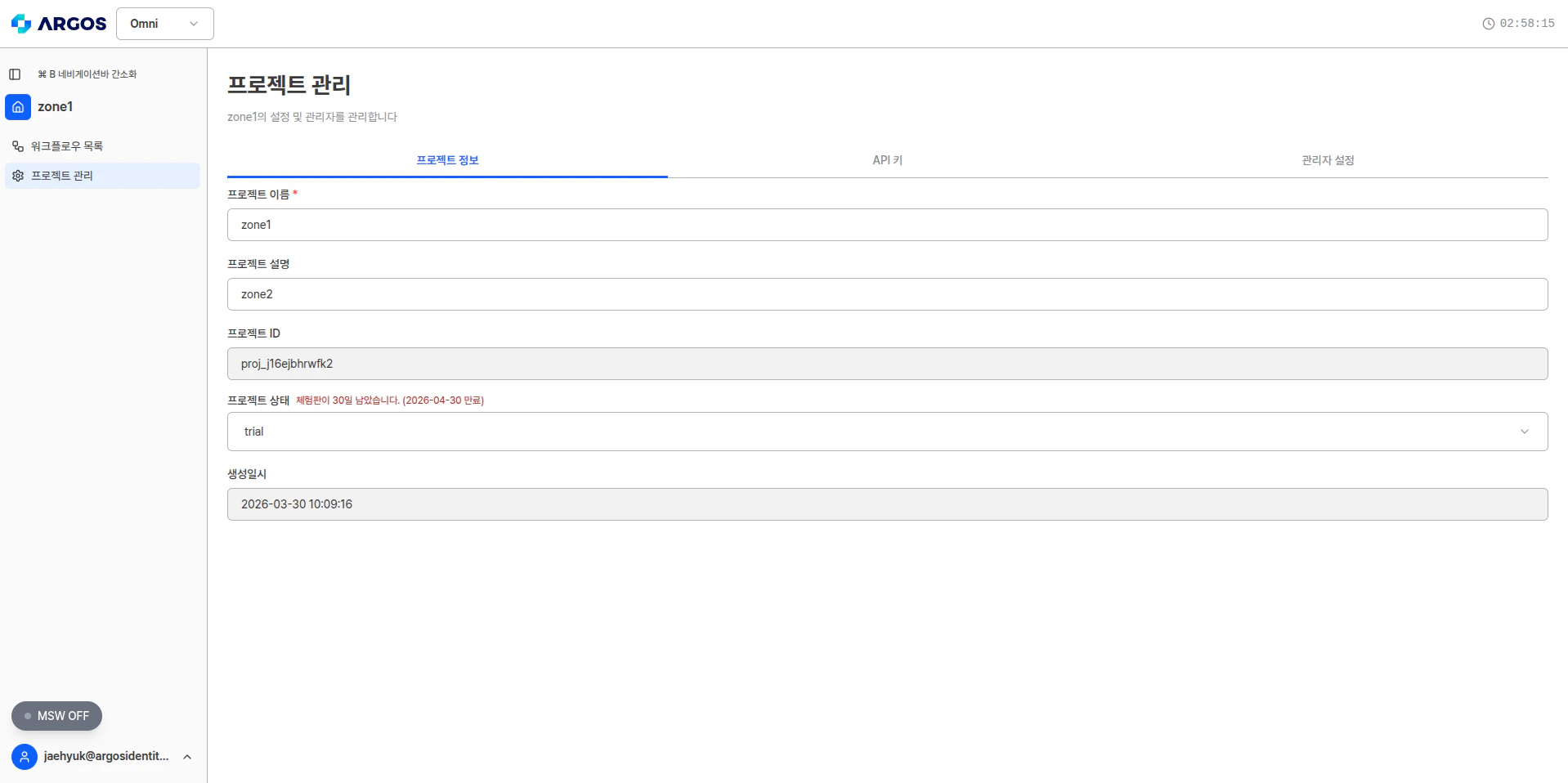
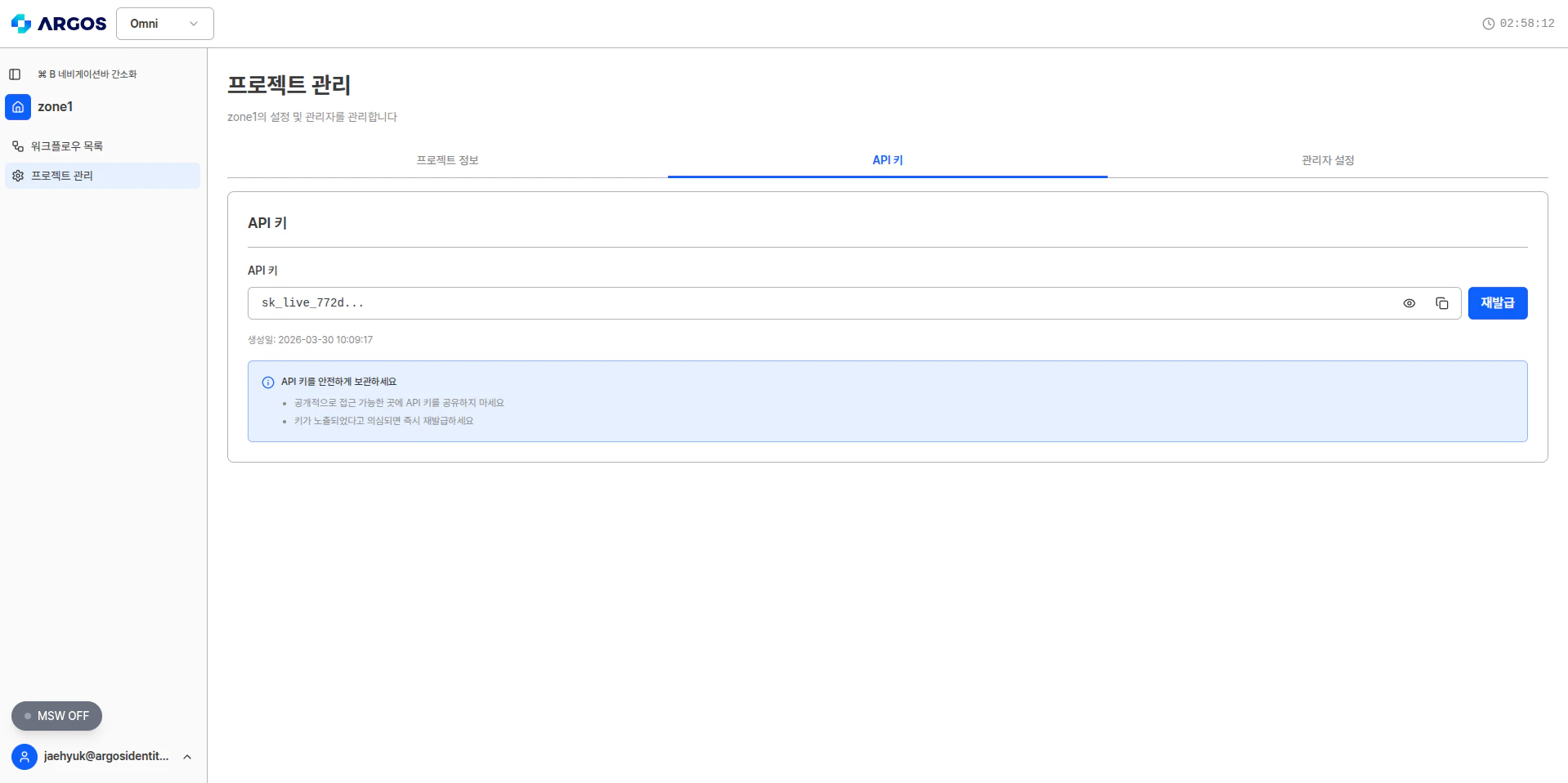
프로젝트 관리 페이지는 **프로젝트 정보**, **API 키**, **관리자 설정** 3개의 탭으로 구성됩니다.
프로젝트 이름, 설명, ID, 상태, 생성일시를 확인하고 수정할 수 있습니다.
### 프로젝트 제한
| 리소스 | 제한 |
| ----------- | --- |
| 사용자당 프로젝트 | 5개 |
| 프로젝트당 워크플로우 | 10개 |
| 워크플로우당 프로필 | 무제한 |
### 프로젝트 상태
프로젝트는 다음 상태로 전환됩니다:
새 프로젝트는 **Trial** 상태로 시작되며 전체 읽기/쓰기 접근이 가능합니다. Trial 프로젝트는 **1개월** 후 자동으로 Closed로 전환됩니다.
모든 접근 권한이 있는 활성 프로젝트입니다. 모든 CRUD 작업과 분석 실행이 가능합니다.
읽기 전용 모드입니다. `GET` 요청만 허용됩니다. 새로운 프로필, 아이템, 분석을 생성할 수 없습니다.
### 대시보드에서 프로젝트 관리
대시보드에서 다음을 수행할 수 있습니다:
* 모든 프로젝트와 상태 확인
* 프로젝트 설정 및 API 키 접근
* 각 프로젝트 내 워크플로우로 이동
* 사용량 통계 모니터링
프로젝트 관리 페이지는 **프로젝트 정보**, **API 키**, **관리자 설정** 3개의 탭으로 구성됩니다.
프로젝트 이름, 설명, ID, 상태, 생성일시를 확인하고 수정할 수 있습니다.
 프로젝트에 연결된 API 키를 확인하고 재발급할 수 있습니다.
 프로젝트에 멤버를 추가하거나 제거할 수 있습니다.