> ## Documentation Index
> Fetch the complete documentation index at: https://developers.argosidentity.com/llms.txt
> Use this file to discover all available pages before exploring further.
# Overview
> Monitor ARGOS ID Check's KYC process status changes in real-time. Receive instant updates through webhooks.
## What are Webhooks?
Webhooks are a feature that allows you to receive real-time notifications when specific events occur. They automatically send alerts to a designated URL whenever KYC data changes or new information is added.
## 1. Explore Webhook Event Types
Receive real-time updates through ARGOS Identity webhooks.
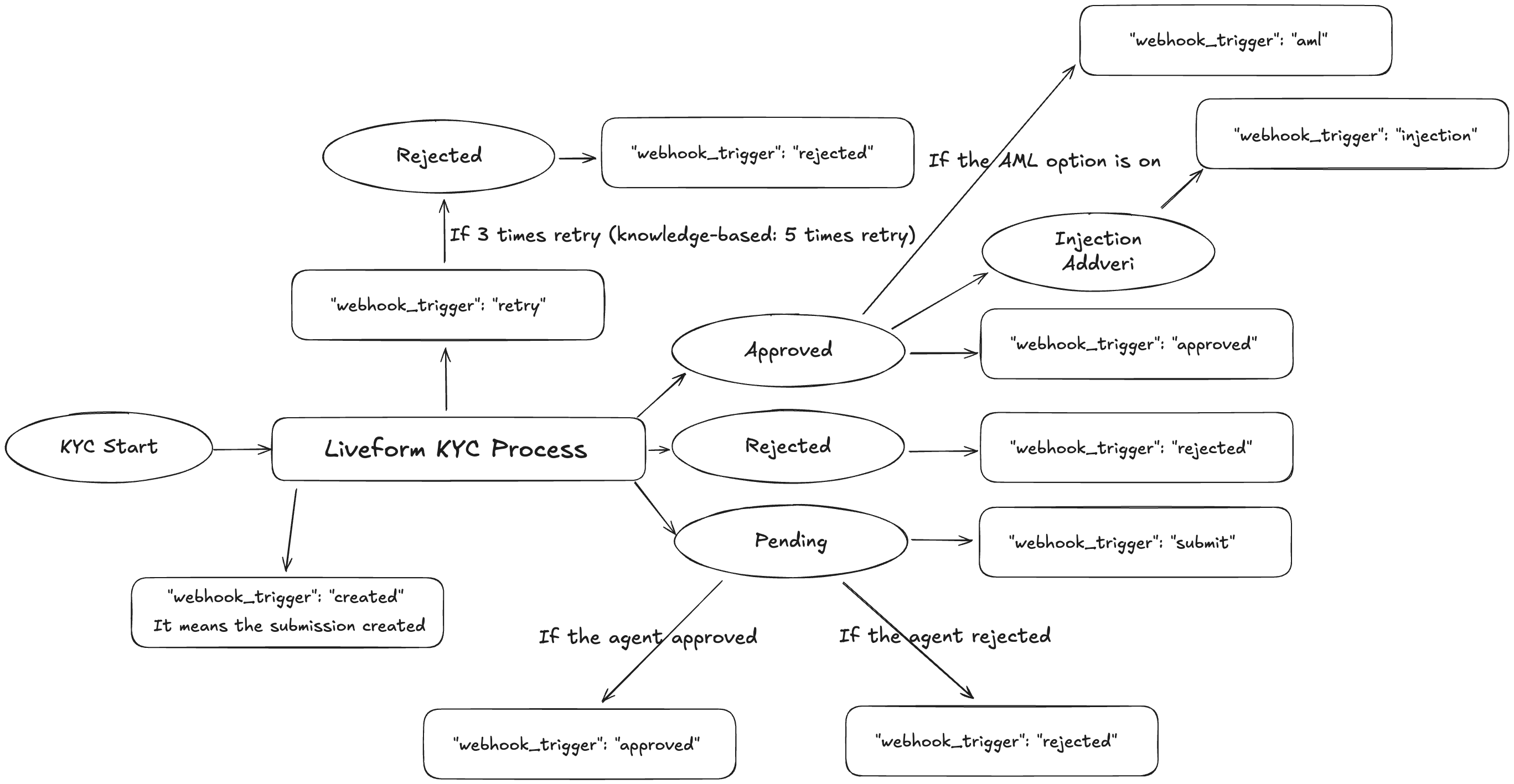
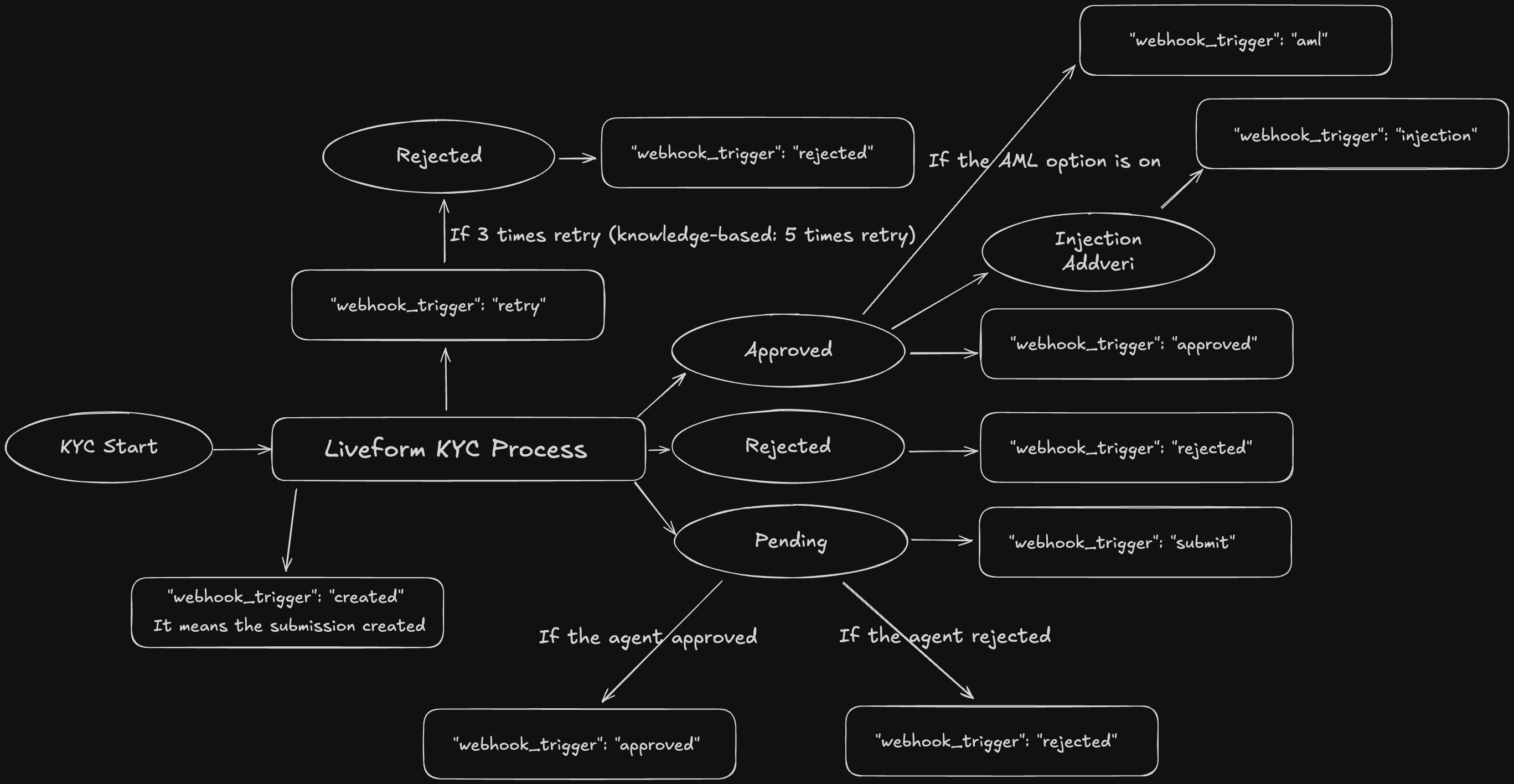
* "webhook\_trigger": "created" → When the submission is **created**
* "webhook\_trigger": "retry" → The submitter proceeded, and the **retry** occurred
* "webhook\_trigger": "approved" → The submission is **approved**
* "webhook\_trigger": "rejected" → The submission is **rejected**
* "webhook\_trigger": "submit" → The submission becames **pending** status.
* "webhook\_trigger": "updated" → The submission is **updated**
* "webhook\_trigger": "delete" → The submission **delete** proceed
* "webhook\_trigger": "token\_expired" → The Token ID has **expired**
* "webhook\_trigger": "injection" → The **injection** proceed in the submission
* "webhook\_trigger": "aml" → The **aml** process proceed
* "webhook\_trigger": "aml\_monitor" → The **aml\_monitor** process proceed
 By utilizing webhooks, you can monitor all stages of the KYC process in real-time and take immediate action when necessary, enabling more efficient management of your customer onboarding process.
## 2. Register Webhook Events
By utilizing webhooks, you can monitor all stages of the KYC process in real-time and take immediate action when necessary, enabling more efficient management of your customer onboarding process.
## 2. Register Webhook Events
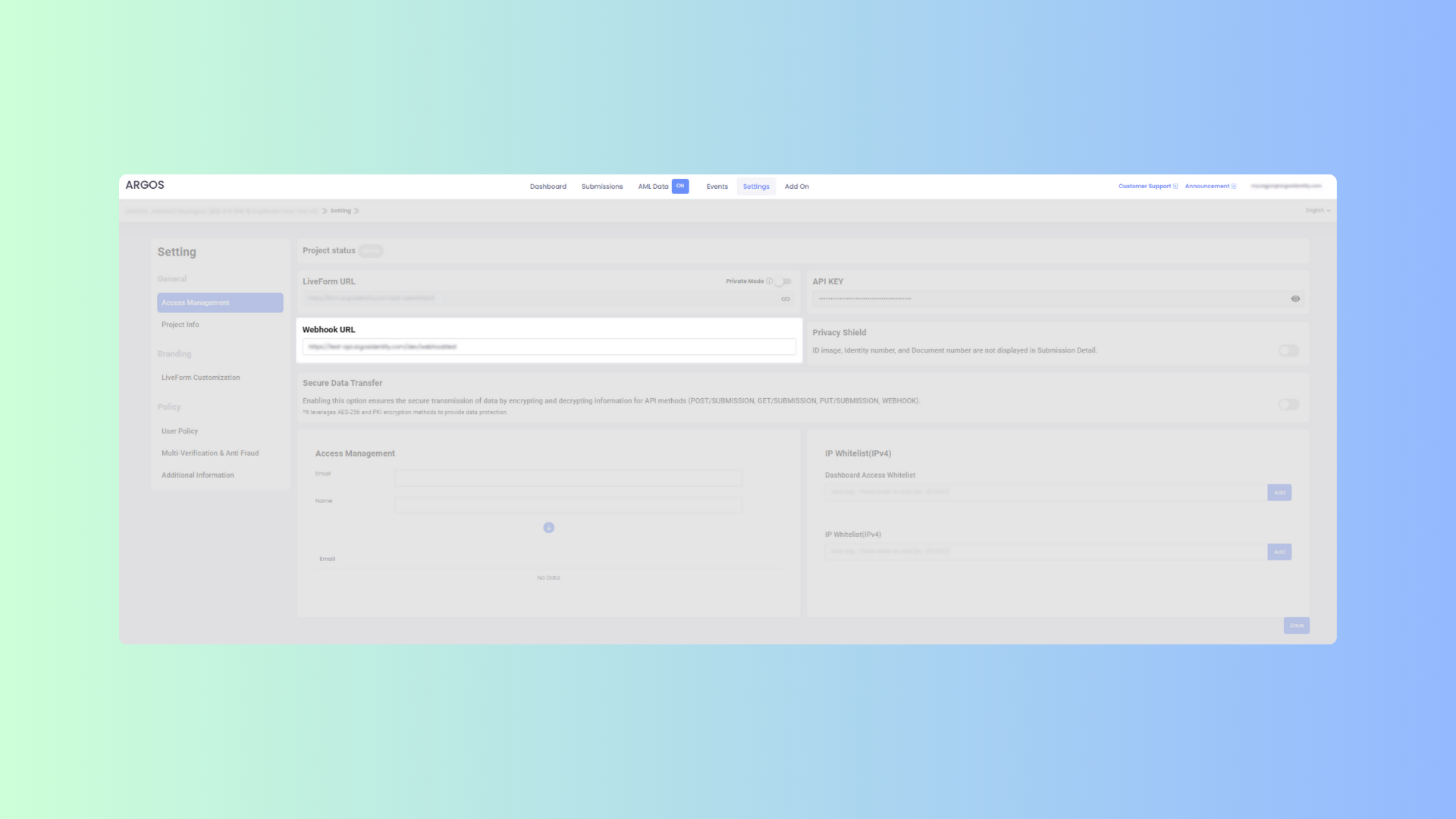 Log in to the ID Check [Dashboard](https://idcheck.argosidentity.com/).
Click on the `Settings` menu in the top navigation bar of the dashboard.
Select `Access Management` from the `General` section in the left sidebar.
Find the `Webhook URL` section and enter your desired webhook address in the input field. The URL must use the `HTTPS` protocol and be in a valid format.
Click the `Save` button at the bottom of the page to apply the changes.
## 3. Activate Encryption Option for Secure Data Transfer
ARGOS Identity provides an encryption option to protect sensitive KYC data transmitted through webhooks. When this feature is activated, all webhook data is automatically encrypted, enabling more secure information exchange.
### a. What does encrypted webhook data look like?
Encrypted webhook responses are delivered in the following format:`{ "data": "encrypted-string" }`, where encrypted-string is the result of encrypting the original data.
```json data-encrpyted.json theme={null}
{
"response": {
"body": "encrypted-string"
}
}
```
Here, encrypted-string is the result of encrypting the original data.
### b. Easily Set Up the Encryption Option
Log in to the ID Check [Dashboard](https://idcheck.argosidentity.com/).
Click on the `Settings` menu in the top navigation bar of the dashboard.
Select `Access Management` from the `General` section in the left sidebar.
Find the `Webhook URL` section and enter your desired webhook address in the input field. The URL must use the `HTTPS` protocol and be in a valid format.
Click the `Save` button at the bottom of the page to apply the changes.
## 3. Activate Encryption Option for Secure Data Transfer
ARGOS Identity provides an encryption option to protect sensitive KYC data transmitted through webhooks. When this feature is activated, all webhook data is automatically encrypted, enabling more secure information exchange.
### a. What does encrypted webhook data look like?
Encrypted webhook responses are delivered in the following format:`{ "data": "encrypted-string" }`, where encrypted-string is the result of encrypting the original data.
```json data-encrpyted.json theme={null}
{
"response": {
"body": "encrypted-string"
}
}
```
Here, encrypted-string is the result of encrypting the original data.
### b. Easily Set Up the Encryption Option
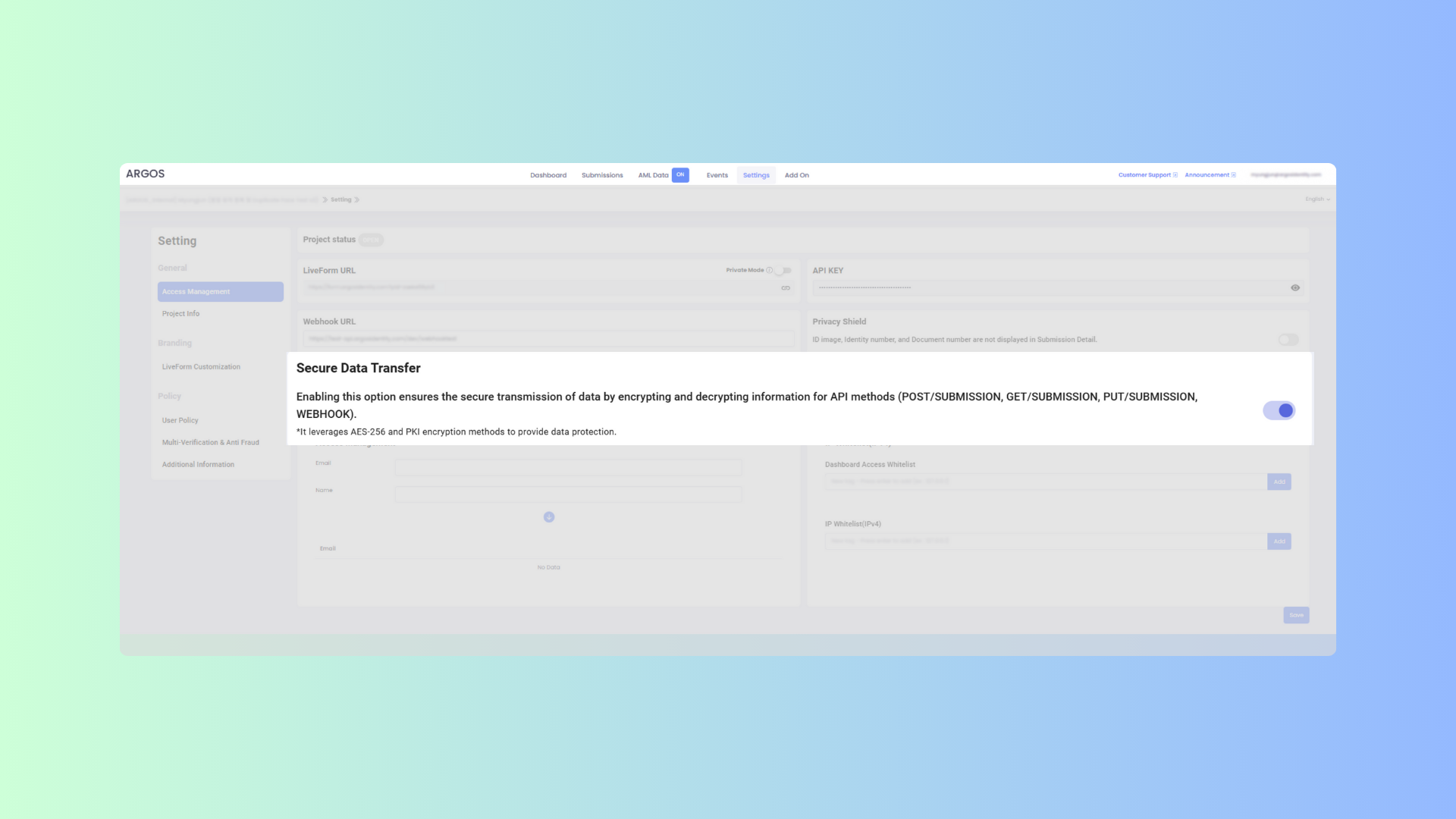 Log in to the ID Check [Dashboard](https://idcheck.argosidentity.com/).
Click on the `Settings` menu in the top navigation bar of the dashboard.
Select `Access Management` from the `General` section in the left sidebar.
Turn on the "Secure Data Transfer" option.
Click the `Save` button at the bottom of the page to apply the changes.
Now that all webhook data is encrypted during transmission, you can exchange important information generated at each stage of the KYC process more securely.
Log in to the ID Check [Dashboard](https://idcheck.argosidentity.com/).
Click on the `Settings` menu in the top navigation bar of the dashboard.
Select `Access Management` from the `General` section in the left sidebar.
Turn on the "Secure Data Transfer" option.
Click the `Save` button at the bottom of the page to apply the changes.
Now that all webhook data is encrypted during transmission, you can exchange important information generated at each stage of the KYC process more securely.