> ## Documentation Index
> Fetch the complete documentation index at: https://developers.argosidentity.com/llms.txt
> Use this file to discover all available pages before exploring further.
# Access Control
> Learn how to control liveform access through private mode and Token ID expiration condition settings.
Access control functions provide private mode and Token ID management functions to control liveform access. You can prevent reuse of authenticated URLs through private mode and set access control through Token ID.
## Private Mode
Strengthens security by preventing reuse of authenticated URLs.
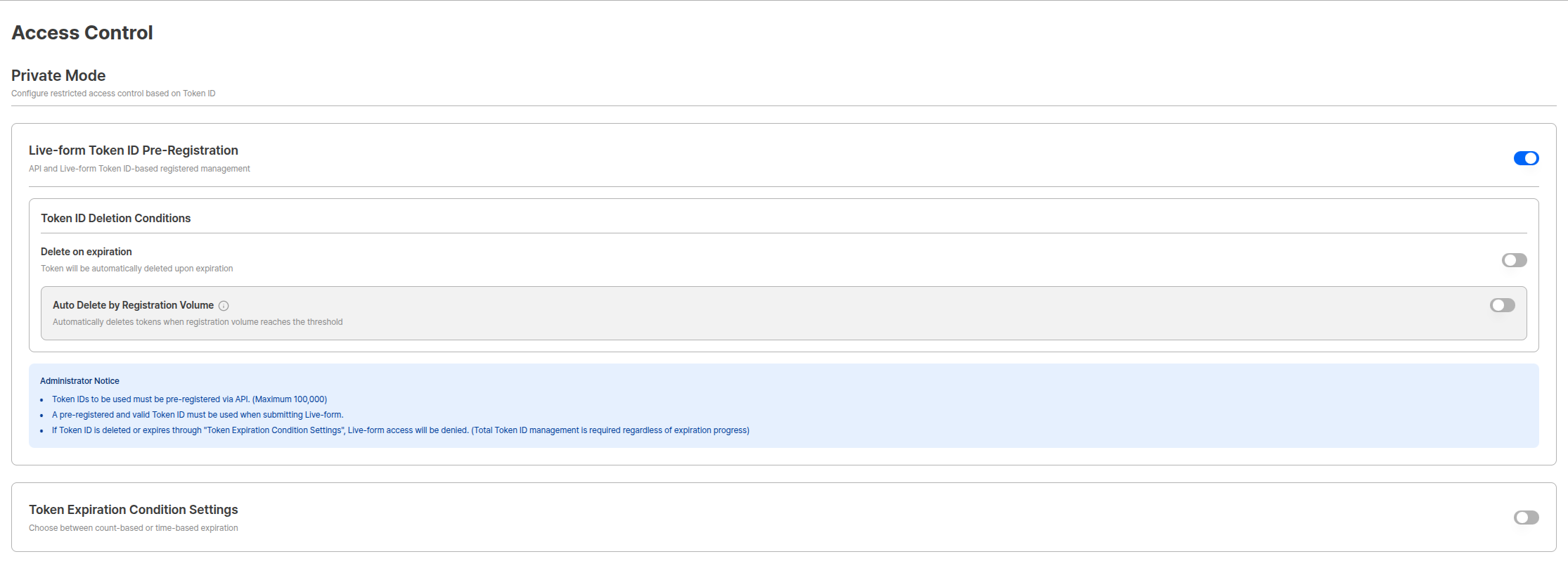 When private mode is activated, authenticated URLs cannot be reused, strengthening security.
When using private mode, be sure to **enter tokenid**. If users need to retry, please update the tokenid.
***
## Live-form Token ID Pre-registration
You can use tokens without pre-registration, but when the **Live-form Token ID Pre-registration** option is activated, only pre-registered tokens can be used.
When private mode is activated, authenticated URLs cannot be reused, strengthening security.
When using private mode, be sure to **enter tokenid**. If users need to retry, please update the tokenid.
***
## Live-form Token ID Pre-registration
You can use tokens without pre-registration, but when the **Live-form Token ID Pre-registration** option is activated, only pre-registered tokens can be used.
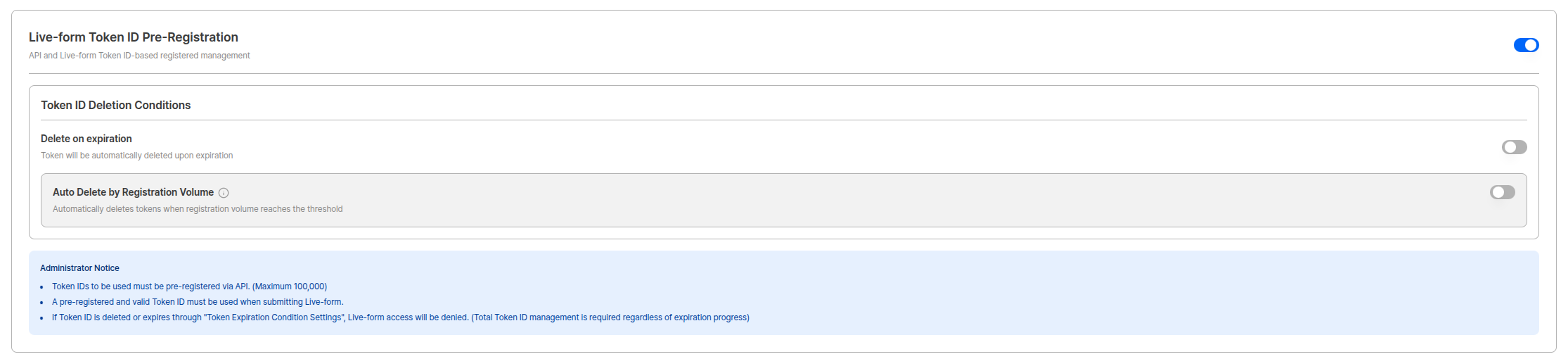 ### Administrator Guidelines
**Important Guidelines**
* Token IDs to be used must be pre-registered via API. (Maximum 100,000)
* Pre-registered and valid Token IDs must be used when submitting Live-form.
* If Token ID is deleted or expired through 'Token Expiration Condition Settings', Live-form access is denied. (Pre-registered Token ID total management is required regardless of expiration progress)
View Token ID registration/query/deletion API.
***
## Token ID Deletion Condition Settings
Token ID total is limited to a maximum of 100,000. Automatic deletion function is provided for cases where real-time management is difficult.
### Delete on Token Expiration
A function that automatically deletes tokens when they expire.
### Administrator Guidelines
**Important Guidelines**
* Token IDs to be used must be pre-registered via API. (Maximum 100,000)
* Pre-registered and valid Token IDs must be used when submitting Live-form.
* If Token ID is deleted or expired through 'Token Expiration Condition Settings', Live-form access is denied. (Pre-registered Token ID total management is required regardless of expiration progress)
View Token ID registration/query/deletion API.
***
## Token ID Deletion Condition Settings
Token ID total is limited to a maximum of 100,000. Automatic deletion function is provided for cases where real-time management is difficult.
### Delete on Token Expiration
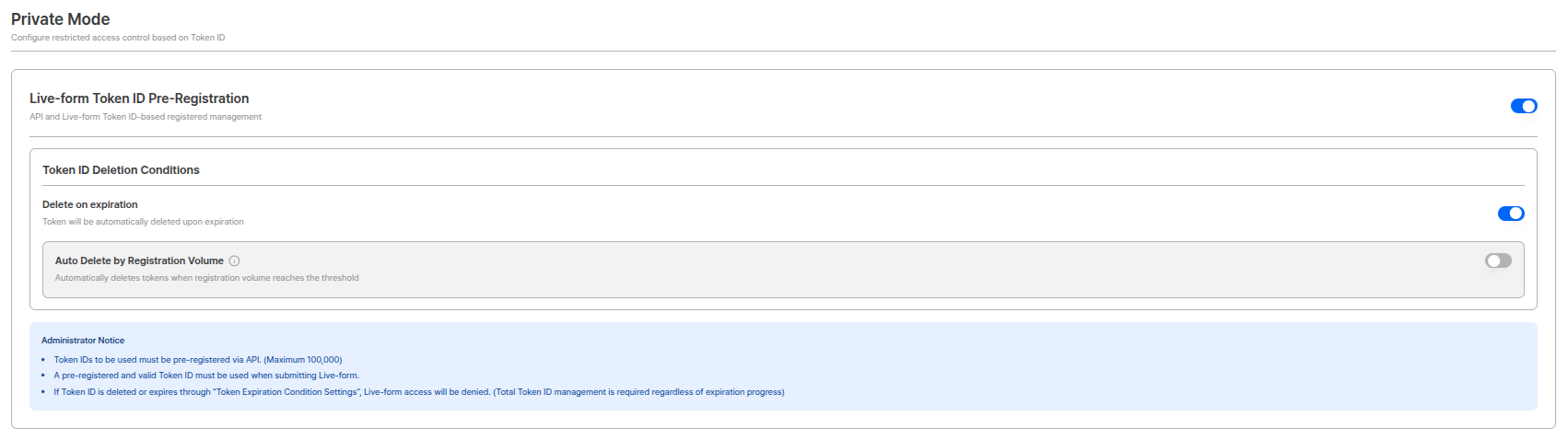
A function that automatically deletes tokens when they expire.
 | Setting | Description |
| ------------------------------ | ------------------------------------------------------------ |
| **Delete on Token Expiration** | Automatic deletion function is triggered when token expires. |
**Automatic Deletion Usage**
When delete on token expiration option is activated, expired tokens are automatically deleted according to conditions set in 'Token Expiration Condition Settings', making total management easier.
### Volume-based Automatic Deletion
A function that automatically deletes when token registration volume reaches threshold.
| Setting | Description |
| ------------------------------ | ------------------------------------------------------------ |
| **Delete on Token Expiration** | Automatic deletion function is triggered when token expires. |
**Automatic Deletion Usage**
When delete on token expiration option is activated, expired tokens are automatically deleted according to conditions set in 'Token Expiration Condition Settings', making total management easier.
### Volume-based Automatic Deletion
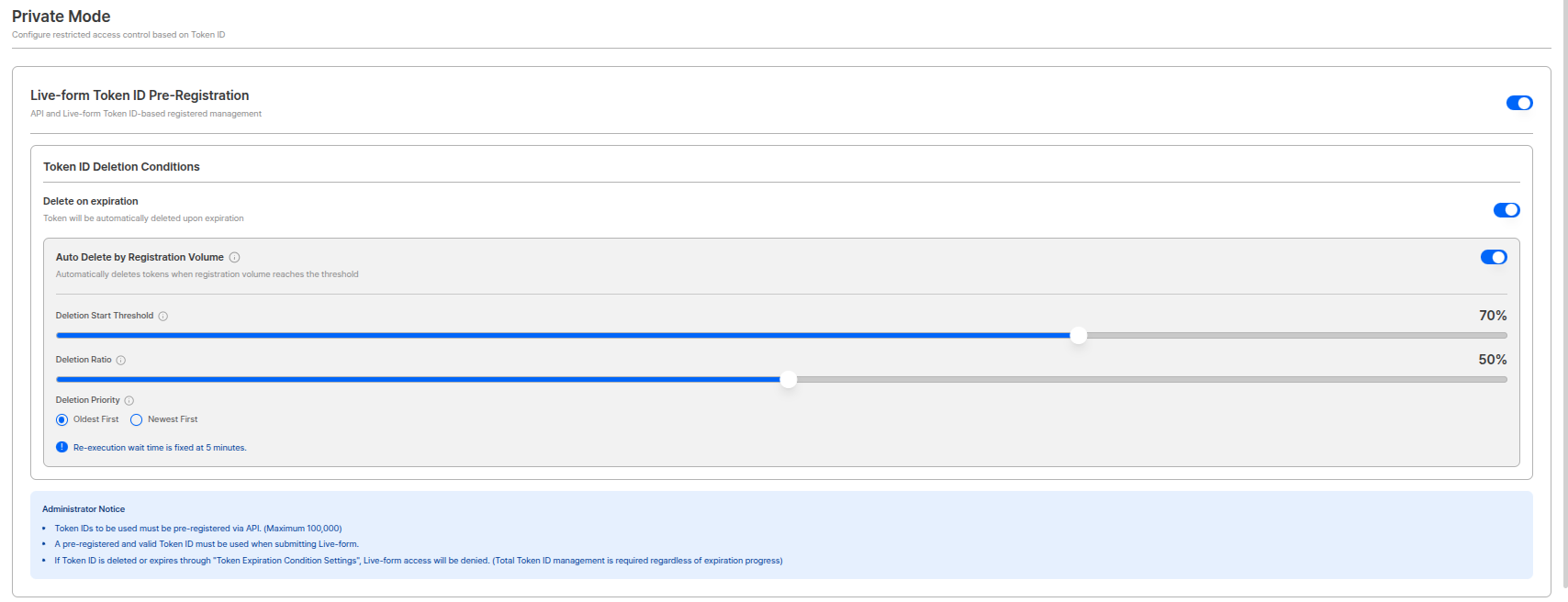
A function that automatically deletes when token registration volume reaches threshold.
 | Setting | Description |
| ----------------------------------- | ------------------------------------------------------------------------------- |
| **Volume-based Automatic Deletion** | Automatically deletes when token registration volume reaches threshold. |
| **Deletion Start Threshold** | Automatic deletion starts when token registration reaches a specific ratio. |
| **Deletion Ratio** | Sets the ratio of tokens to delete at once when automatic deletion is executed. |
| **Deletion Priority** | Selects which tokens to delete first. (Recommended: oldest first) |
**Re-execution Wait Time**
Re-execution cycle for deletion is **fixed at 5 minutes** for system stability.
**Total Management Importance**
If Token ID total exceeds 100,000, new token registration fails. Use volume-based automatic deletion function to manage total.
***
## Token Expiration Condition Settings
Sets conditions for registered tokens to expire. This setting is separate from token deletion and defines conditions for tokens to expire and become unusable.
| Setting | Description |
| ----------------------------------- | ------------------------------------------------------------------------------- |
| **Volume-based Automatic Deletion** | Automatically deletes when token registration volume reaches threshold. |
| **Deletion Start Threshold** | Automatic deletion starts when token registration reaches a specific ratio. |
| **Deletion Ratio** | Sets the ratio of tokens to delete at once when automatic deletion is executed. |
| **Deletion Priority** | Selects which tokens to delete first. (Recommended: oldest first) |
**Re-execution Wait Time**
Re-execution cycle for deletion is **fixed at 5 minutes** for system stability.
**Total Management Importance**
If Token ID total exceeds 100,000, new token registration fails. Use volume-based automatic deletion function to manage total.
***
## Token Expiration Condition Settings
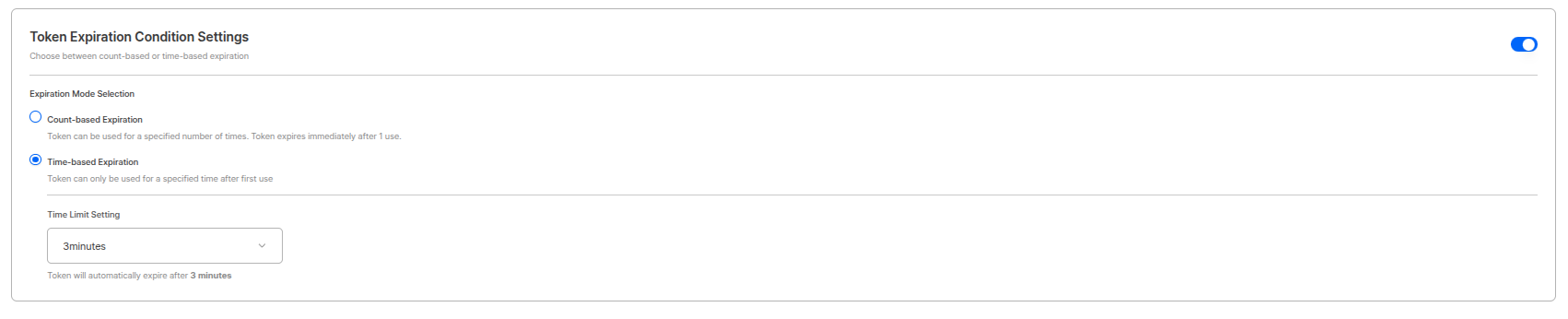
Sets conditions for registered tokens to expire. This setting is separate from token deletion and defines conditions for tokens to expire and become unusable.
 | Condition | Description |
| -------------------------- | ------------------------------------------------------------------------------------------------------------ |
| **Usage-based Expiration** | Token expires immediately when used once. (Expiration point: when user clicks "Start Authentication") |
| **Time-based Expiration** | Token expires after a specific time passes after use. Can continue with same Token ID within specified time. |
**Token Expiration Point**
* **Usage-based Expiration**: Token expires when user clicks "Start Authentication" button in liveform.
* **Time-based Expiration**: Token expires when set time passes from when token was first used.
**Difference Between Expiration and Deletion**
* **Expiration**: Token becomes unusable but still exists in Token Pool.
* **Deletion**: Completely removed from Token Pool and deducted from total.
Expired tokens are also included in total, so it is recommended to activate 'Delete on Token Expiration' option to automatically delete them.
***
## Related Documentation
View liveform encryption and secure transmission settings.
View project status management.
View Token ID management API.
| Condition | Description |
| -------------------------- | ------------------------------------------------------------------------------------------------------------ |
| **Usage-based Expiration** | Token expires immediately when used once. (Expiration point: when user clicks "Start Authentication") |
| **Time-based Expiration** | Token expires after a specific time passes after use. Can continue with same Token ID within specified time. |
**Token Expiration Point**
* **Usage-based Expiration**: Token expires when user clicks "Start Authentication" button in liveform.
* **Time-based Expiration**: Token expires when set time passes from when token was first used.
**Difference Between Expiration and Deletion**
* **Expiration**: Token becomes unusable but still exists in Token Pool.
* **Deletion**: Completely removed from Token Pool and deducted from total.
Expired tokens are also included in total, so it is recommended to activate 'Delete on Token Expiration' option to automatically delete them.
***
## Related Documentation
View liveform encryption and secure transmission settings.
View project status management.
View Token ID management API.